How to Set Up Three Smartphone Cameras for Narrative Film: Step‑by‑Step Guide to Multi‑Cam, Cinematic Coverage
Introduction
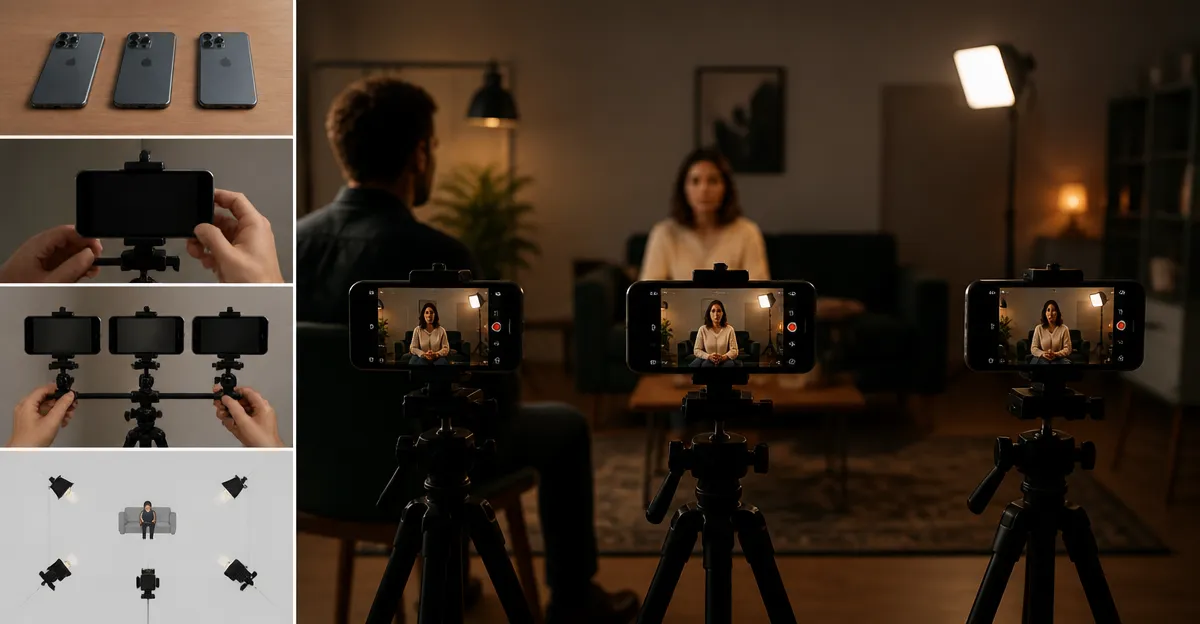
In contemporary independent filmmaking, the ability to capture cinematic coverage with three smartphones offers a cost‑effective alternative to traditional camera rigs. This guide will teach the reader how to plan, mount, light, synchronize, and record with three devices, producing professional‑grade multi‑camera footage. The techniques described are valuable because they enable greater visual storytelling flexibility while keeping production budgets modest.
The reader will learn how to select appropriate accessories, configure each phone for consistent exposure, and manage audio and data flow. By following the steps, the filmmaker will achieve seamless cuts between angles, maintain visual continuity, and avoid common pitfalls that arise when using multiple mobile devices.
What You’ll Need
- Three smartphones with good camera sensors (iOS or Android) and sufficient storage.
- Kinpthy Endoscope Camera – for inspecting hard‑to‑reach mounting points and cable routing.
- TELESIN Magnetic Phone Grip Kit – for secure, magnetic attachment of phones to metal plates or rigs.
- Xenvo Pro Lens Kit – for enhancing field of view and macro detail when needed.
- Tapo 2K Pan‑Tilt Security Camera – for monitoring the set and checking framing in real time.
- Bostionye 11‑in‑1 Phone Lens Kit – optional for creative lenses such as telephoto or fisheye.
- Tripod or rig with a 1/4‑20 screw, small clamps, and a power source for each phone.
- Wireless audio recorder or external microphone with a 3.5 mm jack.
- Sync software such as a clapboard app or timecode generator.
Step 1: Plan Your Shots and Camera Assignments
The first major step is to storyboard the scene and assign each smartphone a specific role: primary wide shot, secondary close‑up, and a dynamic handheld angle. By defining the purpose of each device, the filmmaker can choose the appropriate lens attachment and mounting method. For a wide establishing shot, the Xenvo Pro Lens Kit wide‑angle lens expands the field of view by 45 percent, reducing the need for multiple static cameras.
For a close‑up, the macro lens from the same kit captures fine detail, while the telephoto lens from the Bostionye 11‑in‑1 Phone Lens Kit can isolate facial expressions without moving the phone. Assigning these roles early prevents unnecessary re‑rigging during production.
Step 2: Prepare the Devices and Inspect Mounting Points
Before attaching any hardware, use the Kinpthy Endoscope Camera to examine the interior of tripods, clamps, and any concealed cable channels. Its 1920P HD resolution and adjustable LED lights reveal dust, loose threads, or damage that could compromise stability. The semi‑rigid 16.4 ft cable allows the user to navigate tight spaces without bending the probe, ensuring a thorough inspection.
After confirming that all mounting surfaces are clean, power each smartphone to at least 80 percent battery and enable airplane mode to avoid interruptions. Set the camera resolution to the highest available (preferably 4K at 30 fps) and lock the focus and exposure manually to maintain consistency across takes.
Step 3: Install Magnetic Grips and Secure the Phones
The TELESIN Magnetic Phone Grip Kit provides a fast, repeatable method for attaching phones to metal plates on a rig. The kit includes a magnetic ring compatible with both iPhone MagSafe and Android devices, ensuring a strong hold even during vigorous movement. The included wireless shutter button allows hands‑free recording, reducing camera shake.
Attach the magnetic ring to the back of each phone, then align it with the metal plate on the tripod or gimbal. Verify that the phone sits flush and that the magnetic force does not interfere with the phone’s compass or sensors. The kit’s lightweight design adds minimal bulk, preserving the balance of the rig.
Step 4: Add Lens Attachments and Adjust Lighting
For the wide‑angle camera, screw the 0.45× wide‑angle lens from the Xenvo Pro Lens Kit onto the phone’s camera module. This lens is crafted from aircraft‑grade aluminum and multi‑element coated glass, minimizing ghosting and distortion. The kit also includes a GlowClip rechargeable LED light with three brightness settings, which can be clipped onto the phone to fill shadows during indoor shoots.
For the close‑up camera, attach the 15× macro lens from the same kit. Position the phone approximately half an inch from the subject to achieve razor‑sharp detail. If the scene requires a dramatic perspective, the 198° fisheye lens from the Bostionye 11‑in‑1 Phone Lens Kit can be employed for artistic effect. Remember to disable digital zoom in the phone’s camera app, as the lenses provide optical magnification.
Step 5: Configure Synchronization and Audio Capture
Accurate synchronization is essential for multi‑cam editing. Use a clapboard app on a fourth device to generate a visual and audible cue at the start of each take. Record the clap with all three smartphones; the spike will serve as a reference point in post‑production. Alternatively, enable timecode sharing via Wi‑Fi if the phones support it.
Connect an external microphone to each phone using a TRRS adapter or the phone’s lightning/USB‑C port. This ensures consistent audio quality and reduces reliance on built‑in mics, which may capture motor noise from the rigs. Monitor audio levels on the phones’ screens and adjust gain to avoid clipping.
Step 6: Test, Record, and Review Footage
Perform a full‑run test before the actual shoot. Use the Tapo 2K Pan‑Tilt Security Camera as a monitoring station positioned to view the entire set. Its 2K resolution and 360° pan/tilt capability allow the director to verify framing, focus, and lighting from a distance. The built‑in two‑way audio enables immediate feedback to the camera operators.
After confirming that all three phones capture the desired angles, begin recording. Maintain a steady pace when moving the handheld camera to avoid excessive motion blur. When the scene concludes, stop all devices simultaneously using the wireless shutter button on the TELESIN grip, ensuring a clean cut for editing.
Tips & Pro Tips
- Label each phone’s battery and storage capacity with colored tape to avoid accidental swapping.
- Use a small external power bank mounted on the rig to extend recording time beyond the phone’s native battery life.
- When shooting in bright daylight, attach a neutral density filter to the lens to prevent overexposure.
- Store all lens attachments in a protective case when not in use to avoid scratches.
- Periodically clean the camera sensor with a microfiber cloth to maintain image clarity.
Troubleshooting
Issue: One phone loses connection to the app after a few minutes.
Solution: Ensure the device is connected to a 2.4 GHz Wi‑Fi network, as many smartphone camera apps perform poorly on 5 GHz bands. Restart the app and verify that airplane mode remains disabled.
Issue: Lens produces visible vignetting.
Solution: Adjust the distance between the lens and the phone’s camera module; some lenses require a slight offset to achieve even illumination. Use the adjustable LED light on the Xenvo kit to compensate for dark corners.
Conclusion
By following this comprehensive guide, the filmmaker can set up three smartphone cameras that deliver cinematic coverage comparable to professional multi‑cam rigs. The recommended accessories—such as the Kinpthy Endoscope Camera for inspection, TELESIN Magnetic Phone Grip Kit for secure mounting, Xenvo Pro Lens Kit for optical enhancement, Tapo 2K Pan‑Tilt Security Camera for monitoring, and Bostionye 11‑in‑1 Phone Lens Kit for creative flexibility—provide reliable tools that streamline the workflow. With careful planning, proper lighting, and precise synchronization, the production will achieve seamless edits and high‑quality visual storytelling.
Products Mentioned in This Guide
Frequently Asked Questions
What accessories are essential for mounting three smartphones together?
A multi‑phone rig or a sturdy tripod with a universal phone mount, along with clamps or adhesive mounts, keeps the devices aligned and stable.
How can I synchronize the recordings of three smartphones?
Use a clapboard, a visual cue, or an app that sends a start‑stop signal over Wi‑Fi or Bluetooth to all phones simultaneously.
What settings should I use to ensure consistent exposure across all phones?
Set each phone to manual mode, lock ISO, shutter speed, and white balance, and match focal length and resolution for uniform footage.
How do I manage audio when filming with multiple smartphones?
Record primary audio on a dedicated external microphone and disable phone mics, then sync the audio in post‑production using the clap or timecode.
What are common pitfalls to avoid when using three smartphones for multi‑cam shooting?
Avoid mismatched frame rates, insufficient storage, overheating, and inconsistent lighting, which can cause sync issues and uneven image quality.