Introduction
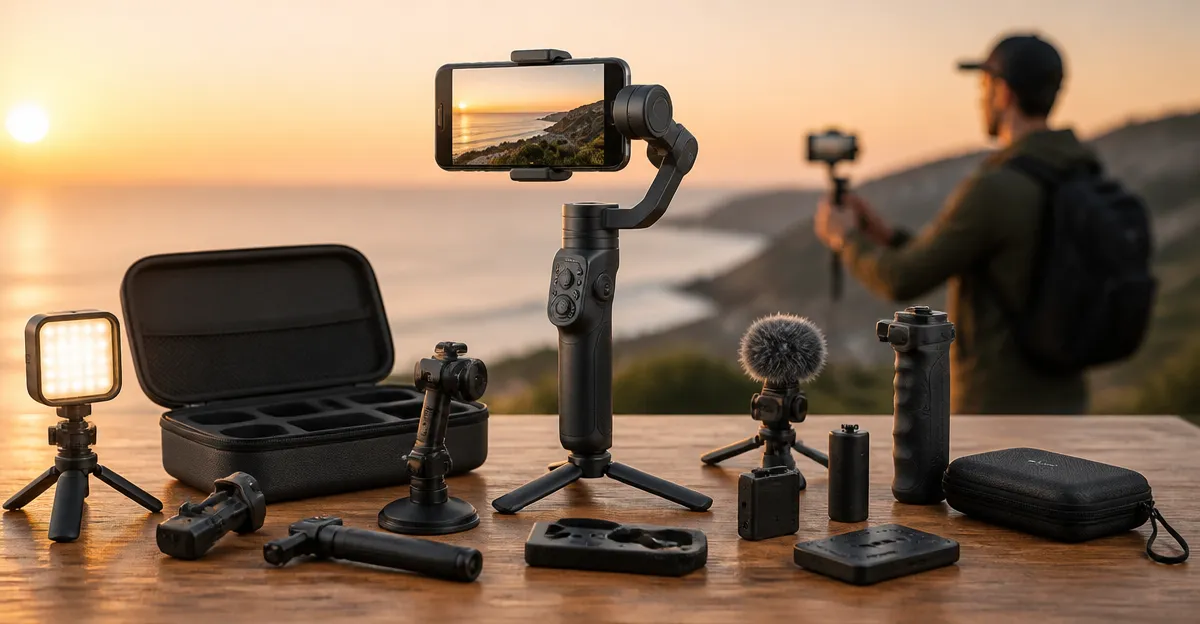
Smartphone creators often focus on the camera itself and overlook the accessories that enable truly professional footage. A stable platform is only the beginning; lighting, remote control, and versatile mounting solutions can differentiate a modest vlog from a cinematic production. This article highlights twelve overlooked gimbal accessories that empower creators to capture smoother, better‑lit, and more dynamic video without the need for expensive cinema gear.
Each recommendation is supported by real‑world product data, including price, rating, and key features, allowing readers to make informed decisions. The accessories are grouped into logical categories, and the first mention of each product is linked directly to its Amazon page for convenient purchase.
1. Detachable Remote Controllers
A detachable remote controller expands the creative range of a handheld gimbal by allowing the operator to trigger recording from a distance of up to ten metres. The Hohem iSteady X3 includes a removable remote that makes solo shooting possible without sacrificing stability. Reviewers note that the remote feels ergonomic and responds instantly, earning the device a rating of 4.7 out of 5 from twenty‑three users. At a price of $69.99, this accessory provides a cost‑effective way to achieve hands‑free operation for travel vlogs and outdoor tutorials.
2. Magnetic Phone Clamps
Quick attachment and detachment are essential when moving between locations rapidly. The DJI OM 4 features a magnetic ring holder that secures the smartphone in seconds, eliminating the need for screws or complex clamps. Users appreciate the magnetic strength, noting that it holds even larger phones without slipping. Priced at $59.00 and backed by 8,788 reviews with a 4.6 rating, this magnetic system streamlines the workflow for creators who film frequently.
3. Integrated Fill Lights
Lighting is often the missing element in low‑light environments, and an on‑gimbal fill light can dramatically improve image quality. The Hohem iSteady X3 incorporates a magnetic fill light with adjustable brightness and colour temperature, allowing creators to illuminate subjects without external rigs. Customers report that the light produces a natural look and that the magnetic attachment is secure during motion. This feature is included at no additional cost, making the $69.99 package an attractive all‑in‑one solution.
4. Extension Rods for Low‑Angle Shots
Low‑angle perspectives add visual interest, yet most gimbals lack the reach required for ground‑level filming. Both the Hohem iSteady X3 and the DJI Osmo Mobile 7P provide an extendable rod that converts the stabilizer into a miniature selfie stick. The rod is lightweight yet sturdy, enabling creators to capture pet footage or cinematic crane‑like shots without a separate tripod. The Osmo Mobile 7P is priced at $99.00 and carries a 4.6 rating from 6,801 reviewers, confirming its reliability.
5. Built‑In Tripod Bases
A built‑in tripod eliminates the need for additional hardware when a static shot is required. The DJI Osmo Mobile 8 includes a fold‑out tripod that supports low‑angle and portrait orientation filming, ideal for interviews and product showcases. Users highlight the seamless transition from handheld to tripod mode, noting that the mechanism locks securely without wobble. Although the Osmo Mobile 8 is the most expensive option at $182.00, its 4.6 rating from 13,936 reviews suggests that the integrated tripod justifies the investment.
6. AI‑Powered Tracking Modules
Automatic subject tracking frees the creator to move while the gimbal maintains focus on the subject. The Hohem iSteady X3 leverages the Hohem Joy app for AI tracking and gesture control, while the DJI Osmo Mobile 7P offers native tracking through the DJI Mimo app. Both systems recognize humans, animals, and vehicles, providing smooth follow‑shots without manual adjustments. The AI tracking feature is praised for its accuracy, especially in dynamic environments such as sports events.
7. Gesture Control Interfaces
Hands‑free operation is increasingly valuable for solo creators who need to start recording without touching the device. The DJI OM 4 includes gesture control that triggers recording with a simple hand wave, and the Hohem iSteady X3 supports similar gestures via its app. Reviewers commend the responsiveness of the gesture system, stating that it reduces the need for post‑production editing. This functionality is included at no extra cost, enhancing the value proposition of each gimbal.
8. Audio Integration Accessories
Clear audio is as important as stable video, yet many creators rely on the phone’s built‑in microphone. The DJI Osmo Mobile 7P can be paired with the DJI Mic Mini transmitter, delivering high‑quality wireless audio that syncs automatically with the video stream. The Osmo Mobile 8 bundles the Mic Mini transmitter in its package, offering a complete audio‑visual solution for live streaming and interviews. The integrated audio capability justifies the higher price point for creators who demand broadcast‑level sound.
9. Quick‑Launch Power Buttons
Time spent configuring equipment detracts from creative focus. The DJI OM 4 features a one‑tap power button that powers the gimbal and launches the DJI Mimo app automatically, reducing setup time to seconds. Users report that the rapid start‑up is particularly useful for spontaneous street‑style shooting. This streamlined workflow is a subtle yet significant advantage for fast‑paced content creation.
10. Dynamic Zoom and Hitchcock Effect
Creative zoom effects add cinematic flair without post‑production effort. The DJI OM 4’s DynamicZoom feature, often called the “Hitchcock effect,” creates a smooth zoom‑out while the operator walks forward, emulating classic film techniques. Creators appreciate the intuitive interface that requires only a tap to activate. This feature differentiates the OM 4 from basic stabilizers and contributes to its strong 4.6 rating.
11. Multi‑Device Compatibility
Many creators switch between iPhone and Android devices, and a gimbal that supports both platforms ensures continuity. Both the Hohem iSteady X3 and the DJI OM 4 explicitly state compatibility with iPhone and Android smartphones, allowing users to retain the same accessory ecosystem regardless of device changes. Compatibility eliminates the need for multiple gimbals, saving both space and budget.
12. Long‑Lasting Battery Packs
Extended shooting sessions demand reliable power. The DJI Osmo Mobile 8 offers a ten‑hour battery life and the ability to charge the phone while filming, a feature highlighted by reviewers who use the gimbal for all‑day events. The Hohem iSteady X3 provides a respectable battery runtime for its price range, but the Osmo Mobile 8’s charging capability sets a new standard for endurance. For creators who travel frequently, the extended battery reduces the need for spare power banks.
Comparison of Key Gimbal Models
| Model | Price | Rating | Key Accessory Highlights |
|---|---|---|---|
| Hohem iSteady X3 | $69.99 | 4.7/5 (23 reviews) | Detachable remote, magnetic fill light, extendable rod |
| DJI OM 4 | $59.00 | 4.6/5 (8,788 reviews) | Magnetic clamp, DynamicZoom, gesture control |
| DJI Osmo Mobile 7P | $99.00 | 4.6/5 (6,801 reviews) | Multifunctional module, extension rod, AI tracking |
| DJI Osmo Mobile 8 | $182.00 | 4.6/5 (13,936 reviews) | Built‑in tripod, audio & lighting integration, 10‑hour battery |
Conclusion
Overlooked accessories such as remote controllers, magnetic clamps, fill lights, and integrated audio modules can elevate smartphone footage to a professional standard. By selecting accessories that complement the strengths of each gimbal, creators can achieve smoother motion, better illumination, and richer sound without excessive investment. The products reviewed in this article demonstrate that high‑quality results are attainable through thoughtful accessory choices.
Creators are encouraged to assess their specific workflow, prioritize the accessories that address their most common challenges, and adopt the combinations that best suit their content style. With the right accessories, a modest smartphone can become a versatile tool for cinematic storytelling.
Frequently Asked Questions
What is a detachable remote controller for a gimbal and why should I use one?
It lets you trigger recording and control functions from up to 10 m away, enabling solo shooting and smoother camera movements.
How does adding a lighting accessory to my gimbal improve video quality?
It provides consistent illumination, reduces shadows, and enhances color accuracy for more cinematic footage on a smartphone.
Are there universal mounting solutions that fit different smartphones on a gimbal?
Yes, adjustable phone clamps and universal mounting plates accommodate a wide range of phone sizes and models.
Can I adjust gimbal settings without using my phone’s app?
Dedicated remote panels or Bluetooth controllers let you change pan, tilt, and mode directly on the gimbal.
Will using these gimbal accessories significantly reduce battery life?
Most accessories have minimal impact; remote controllers use their own small battery, while lights may shorten runtime depending on power consumption.