
How to Master Smartphone Pet Photography: Best Lenses and Lighting Tips
Introduction
Pet owners often struggle to capture the personality of their furry friends using a mobile phone. This guide explains how to achieve professional‑grade images by combining proper technique with affordable accessories. Readers will learn how to stabilize the device, expand optical capabilities, and control illumination for crisp, vibrant pictures. The result is a portfolio of pet photos that showcase detail, emotion, and color without the need for an expensive DSLR.
What You’ll Need
- Leenconghui Phone Tripod Mount Adapter – $8.99, 4.4 stars
- MIAO LAB 11‑in‑1 Lens Kit – $27.99, 3.9 stars
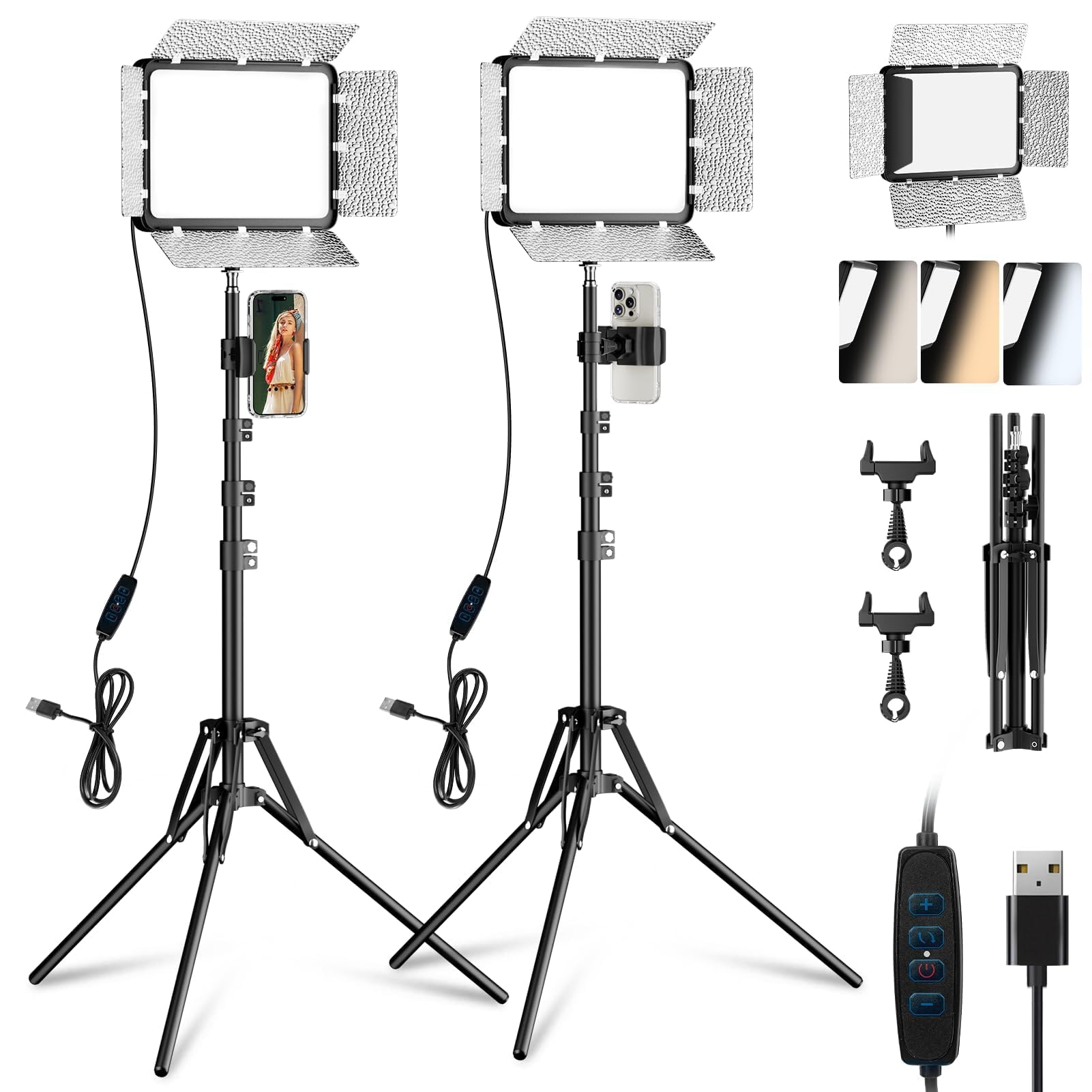
- EMART LED Video Light Kit – $44.99, 4.4 stars
- Smartphone with a decent camera (minimum 12 MP recommended)
- Clean, non‑reflective backdrop (a plain sheet or a pet‑friendly mat)
- Patience and treats to keep the animal focused
Step 1: Prepare Your Shooting Environment
Begin by selecting a quiet area where the pet feels comfortable and distractions are minimal. Remove clutter that could compete for attention and ensure the floor is slip‑free to avoid accidents. Natural light from a window is ideal, but when it is insufficient, plan to supplement with artificial lighting. Position the backdrop at a distance of approximately one meter to allow the animal to move freely while staying within the frame.
Step 2: Stabilize Your Smartphone with a Tripod Mount
Consistent framing and sharpness require a stable platform; handheld shooting often results in motion blur, especially with active pets. Attach the Leenconghui Phone Tripod Mount Adapter to a standard tripod or the camera hot shoe of a DSLR for added versatility. The adapter offers 360‑degree rotation, allowing horizontal and vertical shooting without readjusting the phone. Its 1/4‑inch screw hole fits most tripods, while the built‑in cold shoe enables the attachment of microphones or additional accessories if desired. With a price of $8.99 and a rating of 4.4 stars from 223 reviewers, it provides a cost‑effective solution for steady pet portraits.
Step 3: Expand Optical Capabilities with a Lens Kit
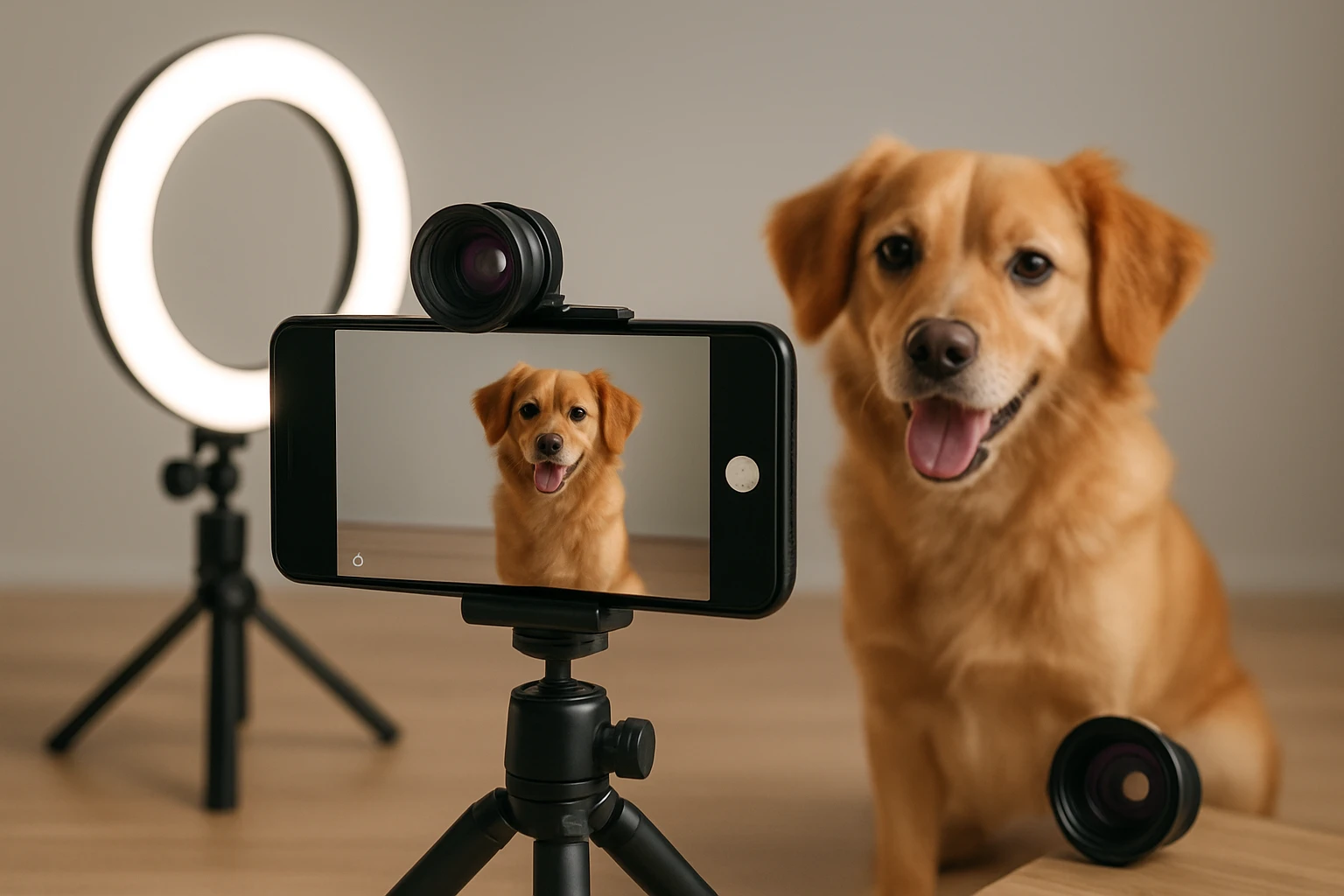
Smartphone lenses are limited in field of view and macro detail, which are essential for capturing expressive eyes and intricate fur patterns. Clip the MIAO LAB 11‑in‑1 Lens Kit onto the phone camera using its universal clamp. The kit includes a 140° wide‑angle lens for expansive scenes and a macro lens for close‑up shots of whiskers or paws. Additionally, the kit provides a fisheye lens for creative distortion and colored filters to enhance mood. Constructed from aluminum, the lenses avoid cheap plastic and maintain alignment during active shooting. Priced at $27.99 with a 3.9‑star rating from over two thousand reviews, the kit delivers versatile optical upgrades without compromising portability.
Step 4: Light Your Subject with Adjustable LED Panels
Proper illumination removes unwanted shadows and highlights texture, which is crucial for fur that can appear flat under poor lighting. Set up the EMART LED Video Light Kit on the included tripods at a 45‑degree angle to the pet. Each panel offers adjustable color temperature from 2800 K to 7000 K, enabling you to match the warmth of natural light or create a cooler studio feel. The ten brightness levels allow fine‑tuning to avoid overexposure on reflective eyes. With a detachable barndoor, you can direct light precisely and reduce spill onto the background. At $44.99 and a 4.4‑star rating from 4,299 reviewers, the kit provides studio‑grade lighting in a compact, travel‑friendly package.
Step 5: Capture, Review, and Edit Your Images
With the smartphone mounted, lens attached, and lighting configured, begin shooting by using the phone’s manual mode if available. Set the ISO low (100‑200) to minimize noise, choose an aperture that provides sufficient depth of field, and enable continuous autofocus to track moving subjects. Capture multiple frames to increase the chance of a perfect expression. After shooting, review images on a larger screen to assess focus and exposure, then use a mobile editing app to adjust contrast, sharpen details, and apply subtle color correction. Export the final photos in high resolution for printing or sharing on social media.
Tips & Pro Tips
- Use treats or toys to guide the pet’s gaze toward the camera; this creates engaging eye contact.
- Keep the lens and sensor clean; fingerprints can cause glare, especially on macro lenses.
- When using the wide‑angle lens, position the pet slightly off‑center to avoid distortion of facial features.
- Experiment with colored filters from the lens kit to add a warm sunset feel or a cool twilight mood.
- For indoor shoots, set the LED lights to a balanced 5000 K to mimic daylight and reduce color casts.
Troubleshooting
Problem: Images appear blurry even with a tripod. Solution: Verify that the smartphone’s focus is locked on the pet’s eyes before each shot, and use the tripod’s 1/4‑inch screw to eliminate any wobble.
Problem: Shadows are harsh despite using the LED lights. Solution: Attach the barndoor to each panel and narrow the opening to soften the light spill, or increase the distance between the light and the subject.
Problem: The macro lens produces a dark vignette around the edges. Solution: Slightly back away from the pet to allow more light into the frame, or increase the LED brightness.
Conclusion
By integrating a stable mount, versatile lens kit, and adjustable LED lighting, anyone can transform a smartphone into a powerful pet photography tool. The steps outlined above empower readers to capture sharp, well‑lit images that showcase personality and detail. Consistent practice, combined with the recommended accessories, will yield a portfolio that rivals professional pet portraits. One should feel encouraged to experiment further, explore new angles, and share the results with fellow animal lovers.
Products Mentioned in This Guide
Frequently Asked Questions
What essential accessories improve smartphone pet photography?
A stable tripod mount, a versatile clip‑on lens kit, and an LED light source provide steadiness, optical flexibility, and balanced illumination.
How does using a tripod benefit pet photos taken with a phone?
A tripod eliminates camera shake, allows you to compose shots hands‑free, and lets you capture fast‑moving pets with sharper results.
Which lens in the MIAO LAB 11‑in‑1 kit works best for close‑up pet portraits?
The 15mm macro lens delivers sharp, detailed close‑ups of fur and eyes, ideal for expressive pet portraits.
How can I use an LED light kit to avoid harsh shadows on my pet?
Position the LED panel at a 45‑degree angle and use a diffuser or softbox to create even, soft lighting that reduces shadows.
What camera settings should I use on a 12 MP smartphone for pet photography?
Set the resolution to the highest setting, enable HDR or portrait mode, and use tap‑to‑focus on the pet’s eyes with a fast shutter speed.