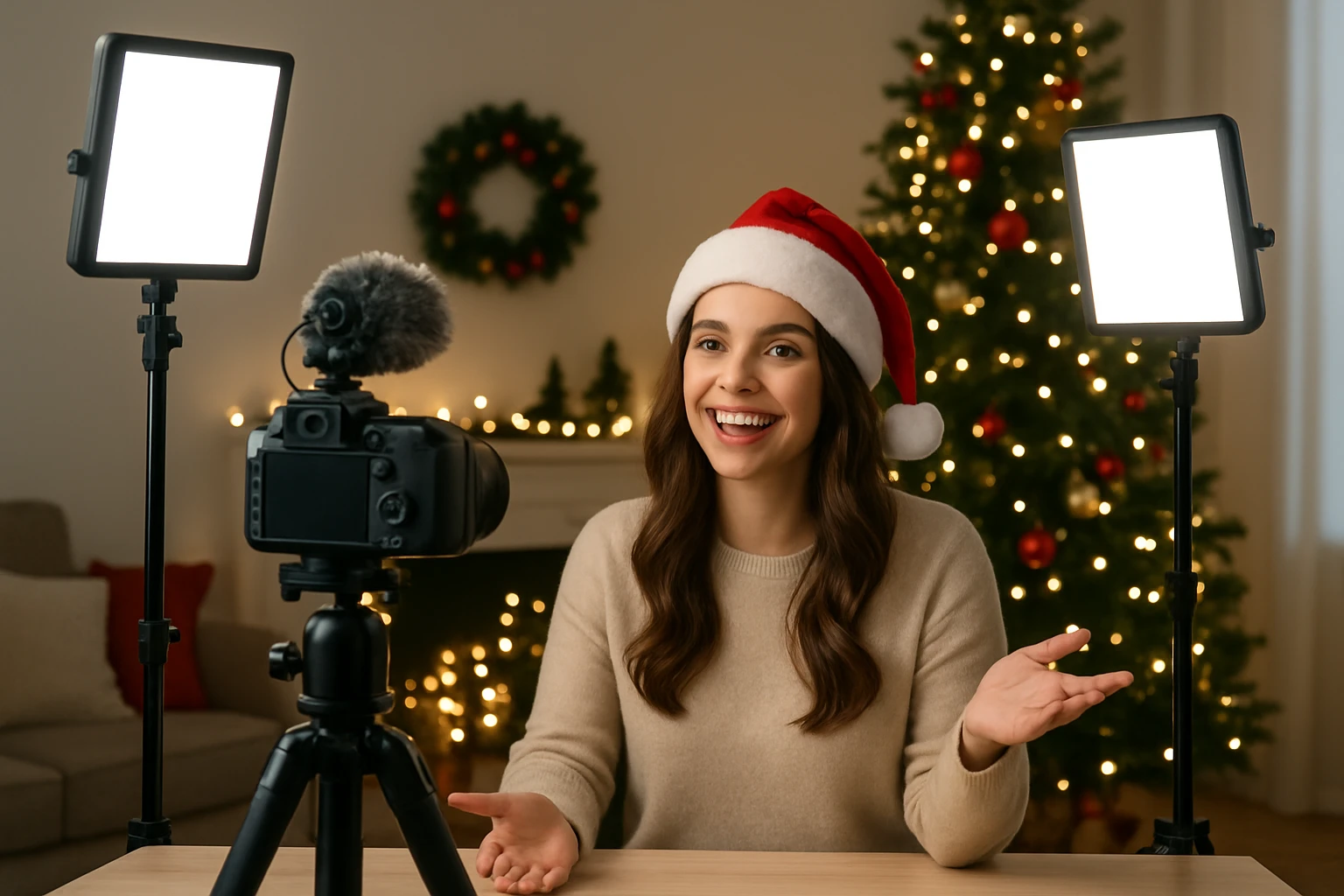
How to Nail Holiday Vlogging Lighting with a Small Kit: The Complete Guide
Introduction
During the holiday season, creators strive to capture the warmth and sparkle of festivities while maintaining professional visual quality. This guide explains how one can achieve consistent, flattering lighting using a compact lighting kit, even in limited spaces. Readers will learn foundational lighting concepts, how to select appropriate equipment, and practical setup strategies for holiday vlogging. By the end of the article, one will be equipped to produce engaging seasonal videos without excessive gear.
Background and Context
Lighting is the most influential element in video production because it shapes mood, defines depth, and reveals color accuracy. For holiday vlogging, the goal is to balance ambient décor illumination with controlled key light that highlights the presenter. Understanding three core terms—color temperature, luminous intensity, and colour rendering index (CRI)—is essential. Color temperature, measured in Kelvin, indicates whether light appears warm (lower Kelvin) or cool (higher Kelvin); luminous intensity, expressed in lux, quantifies brightness at a given distance; CRI evaluates how faithfully a light source reproduces colors compared to natural daylight.
Traditional studio setups rely on large softboxes and multiple power outlets, which are impractical for home‑based vloggers during the holidays. A small, bi‑color LED kit offers flexibility because it allows on‑the‑fly adjustments of both temperature and brightness. Moreover, modern LED panels are energy‑efficient, generate minimal heat, and operate quietly, eliminating the humming that can interfere with audio recording.
Key Concepts for Holiday Lighting
Three concepts dominate successful holiday lighting: three‑point lighting, diffusion, and colour harmony.
- Three‑Point Lighting: This classic arrangement consists of a key light, fill light, and backlight. The key light provides the primary illumination, the fill light softens shadows, and the backlight separates the subject from the background.
- Diffusion: Direct LED light can appear harsh, especially on skin. Using a diffuser—such as a softbox, diffusion fabric, or even a white sheet—spreads light evenly, creating a softer look that complements holiday décor.
- Colour Harmony: Holiday scenes often feature reds, greens, golds, and blues. Matching the LED’s color temperature to the surrounding décor prevents clashing hues. A bi‑color light that ranges from 3200 K to 5600 K enables one to emulate candlelight warmth or daylight crispness as needed.
Applying these concepts with a compact kit ensures a professional appearance without cluttering the filming area.
Recommended Product for a Small Holiday Kit
The NEEWER 660 LED Video Light Kit offers a balanced combination of power, portability, and adjustability, making it ideal for holiday vlogging.
- Bi‑Color Dimmable LEDs: Six hundred sixty LEDs are split evenly between warm white and cool white, delivering a colour temperature range of 3200 K–5600 K. This range covers the warm glow of holiday candles and the cooler daylight that may be present near windows.
- High CRI (96+): The high colour rendering index ensures that reds, greens, and gold ornaments appear true‑to‑life on camera.
- Maximum Illuminance: At one metre, the lights produce up to 3300 lux, sufficient to illuminate a small room without additional fixtures.
- Dual Power Options: Users may connect the lights to AC power or operate them with NP‑F550/NP‑F970 batteries for on‑the‑go shooting.
- Sturdy Light Stands: The included aluminum alloy stands extend from 26" to 75", allowing precise height adjustments for tabletop décor or overhead shots.
- User Interface: An LCD screen displays brightness, colour temperature, and battery status in real time, simplifying on‑set adjustments.
With a rating of 4.7 out of 5 stars from 3,987 reviews and a price of $192.99, the kit delivers strong value for creators seeking a reliable holiday lighting solution.
Step‑by‑Step Setup for Holiday Vlogging
Follow these steps to configure the lighting kit for festive video recordings:
- Position the first light at a 45‑degree angle to the left of the presenter to serve as the key light. Set the colour temperature to approximately 3500 K to emulate a warm indoor ambience.
- Place the second light on the opposite side, slightly lower, and set it to 4200 K with 30 % brightness to act as a fill light. This reduces harsh shadows created by the key light.
- If space permits, attach a small LED strip or a third light behind the presenter to create a subtle backlight. Adjust the temperature to match the overall scene, typically 4000 K.
- Attach diffusion material—such as a thin white cloth—to each panel to soften the light. Ensure the diffusion does not obstruct the LCD screen, which is needed for quick adjustments.
- Secure the light stands on a stable surface and lock the height knobs firmly. Extend the stands to a height that aligns the light source with the presenter’s eye level for natural illumination.
- Test the setup by recording a short clip and reviewing the footage on a calibrated monitor. Fine‑tune brightness and temperature until skin tones appear natural and holiday décor glows without overexposure.
Comparison and Selection Guide
When choosing a lighting kit for holiday vlogging, consider the following criteria and compare the NEEWER 660 LED Video Light Kit against alternative options.
| Feature | NEEWER 660 LED Kit | Typical Competitor (e.g., 500 LED Single‑Color) |
|---|---|---|
| LED Count | 660 (bi‑color) | 500 (single‑color) |
| Colour Temperature Range | 3200 K–5600 K | 5600 K fixed |
| CRI | 96+ | 80–85 |
| Power Options | AC adapter or NP‑F550/NP‑F970 battery | AC only |
| Maximum Lux (1 m) | 3300 lux | 2500 lux |
| Price (USD) | $192.99 | ≈$150 |
| Customer Rating | 4.7/5 (3,987 reviews) | ≈4.2/5 (1,200 reviews) |
If one prioritises colour accuracy, adjustable temperature, and battery flexibility, the NEEWER kit emerges as the superior choice. If budget constraints dominate and a fixed colour temperature suffices, a single‑color alternative may be acceptable.
Best Practices and Pro Tips
Beyond equipment, creators should adopt several habits to maximise holiday lighting quality:
- Control Ambient Light: Close curtains or dim overhead room lights to prevent colour casts that compete with the LED panels.
- Use White Balance Presets: Set the camera’s white balance to match the LED temperature (e.g., 3500 K) rather than relying on auto‑white‑balance, which can shift during long takes.
- Mind Reflections: Holiday ornaments often contain glass or metallic surfaces. Position lights to avoid direct reflections that cause hotspots.
- Synchronise Flicker‑Free Operation: Verify that the LED lights operate at a frequency higher than the camera’s frame rate (typically 60 Hz) to eliminate flicker in recorded footage.
- Maintain Consistent Power: When using batteries, monitor charge levels via the LCD screen to avoid sudden dimming mid‑recording.
- Leverage the Barndoor: The kit’s metal barndoor can be adjusted to shape the light beam, preventing spill onto background decorations that should remain dim.
Frequently Asked Questions
- 1. Can the NEEWER lights be used outdoors for holiday events?
- Yes, the kit supports battery operation with NP‑F550 or NP‑F970 lithium‑ion batteries, allowing cable‑free outdoor use.
- 2. How does one avoid overexposing bright holiday ornaments?
- Reduce the key light’s brightness and use the barndoor to narrow the beam, then increase fill light slightly to preserve detail.
- 3. Is a softbox necessary with this LED panel?
- A softbox is not mandatory; however, adding a diffusion material improves skin tone rendering and reduces harsh shadows.
- 4. What is the optimal distance between the light and the subject?
- For a flattering portrait, place the panel approximately 2‑3 feet (60‑90 cm) from the subject, adjusting brightness to achieve the desired lux level.
- 5. Can the lights be dimmed while recording?
- Yes, the panel offers 0‑100 % dimming via the built‑in dial, enabling real‑time adjustments without interrupting recording.
- 6. Do the stands support tabletop placement?
- The aluminum stands can be positioned on a sturdy table; however, ensure the surface can bear the weight of the panel and stand combined.
Conclusion
Holiday vlogging does not require an extensive studio setup; a compact, bi‑color LED kit delivers the versatility needed for festive content. By understanding colour temperature, CRI, and three‑point lighting, creators can illuminate their scenes with precision. The NEEWER 660 LED Video Light Kit provides adjustable brightness, high colour fidelity, and flexible power options at a reasonable price, making it an excellent choice for both beginners and experienced vloggers. Implement the setup steps, follow best‑practice tips, and adapt the lighting to the unique ambience of each holiday setting to produce professional, engaging videos.
Products Featured in This Guide
NEEWER 660 LED Video Light Kit
Price: $192.99
Rating: 4.7 out of 5 stars (3,987 reviews)
Why featured: The kit combines bi‑color adjustability, high CRI, dual power options, and sturdy stands, offering the flexibility required for high‑quality holiday vlogging with a compact footprint.