
Monetize Smartphone Filmmaking: The Complete Guide to Selling Services, Building Profitable Kits, and Scaling Your Video Business
Introduction
Smartphone filmmaking has evolved from a hobbyist pastime to a viable commercial enterprise. One thousand five hundred words will explore how creators can transform casual shooting into revenue streams, construct affordable yet professional kits, and scale operations without sacrificing creative freedom. Readers will learn foundational concepts, strategic service offerings, product recommendations, and actionable best practices that enable sustainable growth.
The guide assumes an intermediate level of technical competence, meaning the audience already understands basic composition, exposure, and editing. Nevertheless, each section provides clear explanations of specialized terminology to ensure accessibility. By the end of the article, one will possess a roadmap for turning a pocket‑size camera into a profitable business asset.
Background and Context
Modern smartphones incorporate sensors comparable to entry‑level mirrorless cameras, while dedicated gimbals and microphones bridge the gap between mobile convenience and cinematic quality. The proliferation of short‑form platforms such as TikTok, Instagram Reels, and YouTube Shorts has generated demand for high‑quality vertical video, creating a niche for creators who can deliver polished content quickly.
Economic data indicates that freelance video services command average rates between $75 and $150 per hour, depending on expertise and market. Consequently, a well‑curated kit can generate a return on investment within weeks of consistent client work. Understanding the interplay between hardware capabilities, software workflows, and client expectations is essential for long‑term profitability.
Core Service Offerings
Professional smartphone filmmakers typically structure their business around three primary service categories: content creation for brands, event documentation, and educational video production. Each category requires a distinct combination of equipment, editing speed, and client communication style.
- Brand Content Creation – Short promotional videos for social media, product demos, and influencer collaborations. Clients value rapid turnaround and brand‑consistent aesthetics.
- Event Documentation – Weddings, corporate gatherings, and live performances captured in real time. Stability and audio clarity become paramount.
- Educational Video Production – Tutorials, webinars, and online courses where instructional clarity and sound fidelity dominate.
Choosing the right hardware for each service ensures that one can meet client expectations while maintaining efficiency. The following sections recommend specific products that excel in these scenarios.
Essential Equipment for Smartphone Filmmaking
While a smartphone alone can produce impressive footage, supplemental gear dramatically improves image stability, audio quality, and overall professionalism. The three products highlighted below complement each other to form a comprehensive kit.
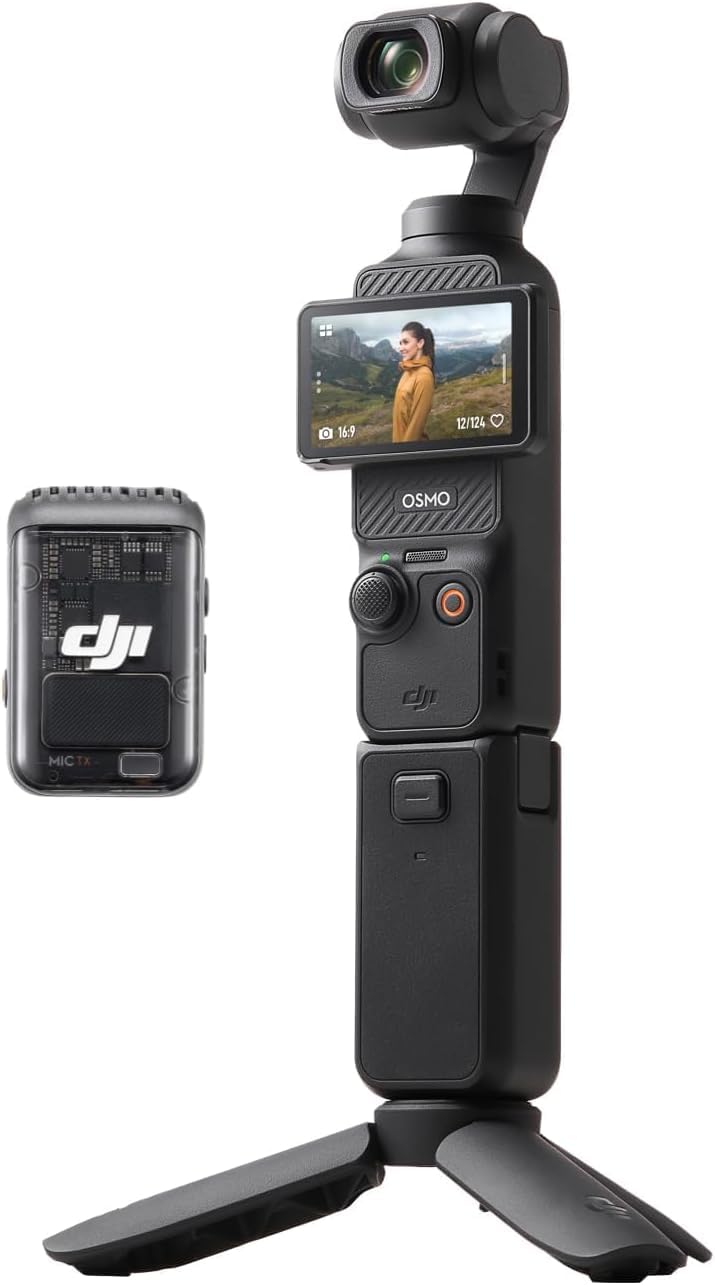
1. DJI Osmo Pocket 3 Creator Combo
The DJI Osmo Pocket 3 Creator Combo integrates a 1‑inch CMOS sensor with 4K resolution at 120 fps, delivering cinematic detail even in low‑light environments. Its 3‑axis mechanical stabilization eliminates handheld shake, allowing creators to record smooth motion while walking, running, or mounting the device on a vehicle. The combo includes the DJI Mic 2 transmitter, a carrying bag, and a battery handle, extending recording time beyond the built‑in 1300 mAh battery.
- 1‑inch CMOS sensor for high‑dynamic‑range imaging.
- 4K/120 fps slow‑motion capture for dramatic action sequences.
- Rotating 2‑inch touchscreen for intuitive framing in portrait or landscape mode.
- ActiveTrack 6.0 keeps subjects centered during dynamic movement.
- Included DJI Mic 2 provides clear, wireless audio up to 250 ft.
- Price: $22.09 (affiliate link).
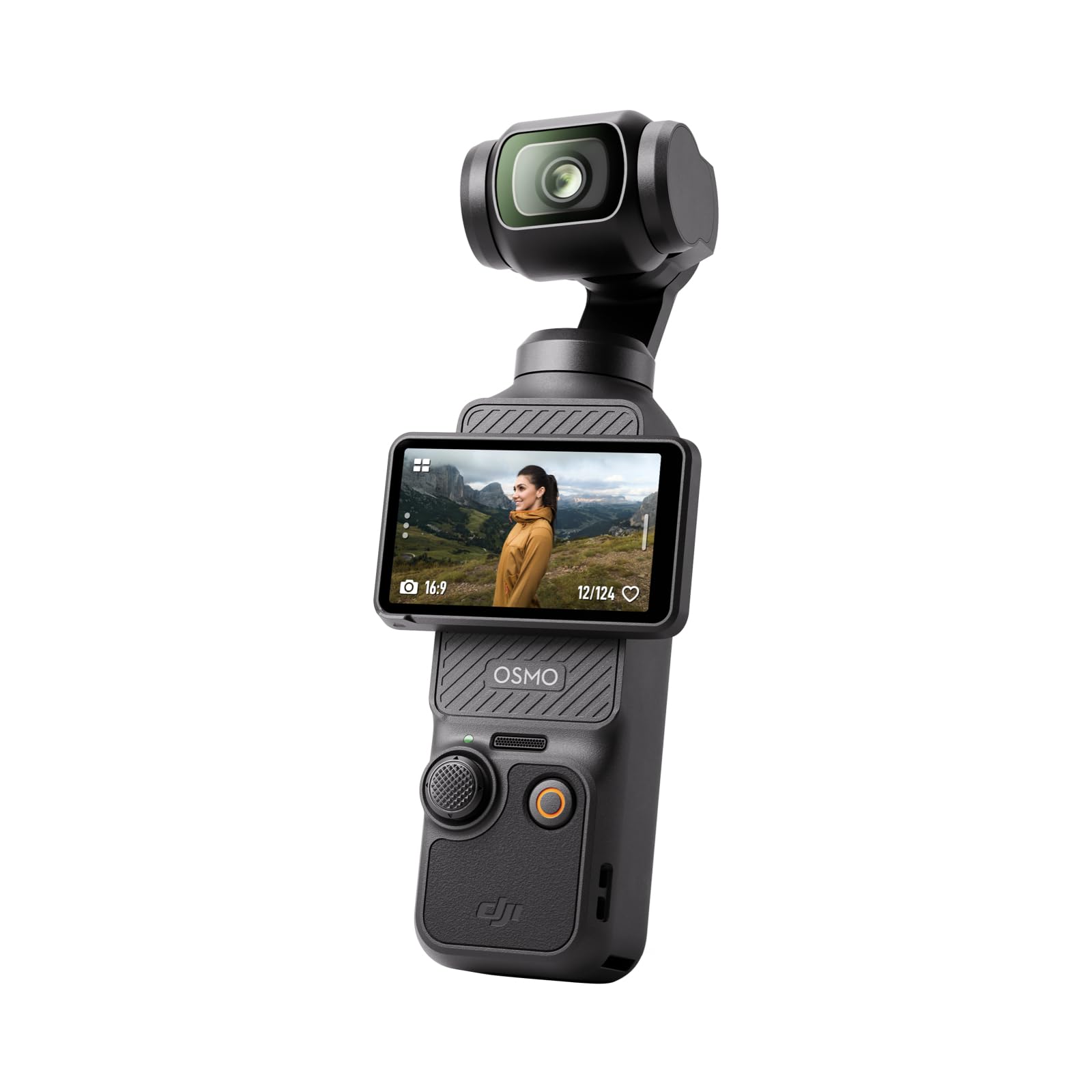
2. DJI Osmo Pocket 3 (Standard)
The standard DJI Osmo Pocket 3 offers the same sensor and stabilization technology without the additional audio accessories. For creators whose primary focus is visual storytelling and who already own a reliable microphone, this version provides a cost‑effective entry point.
- Same 1‑inch CMOS sensor and 4K/120 fps capability.
- Compact form factor for unobtrusive shooting.
- Fast autofocus ensures sharp subjects in fast‑moving scenes.
- Price not listed; availability currently limited.
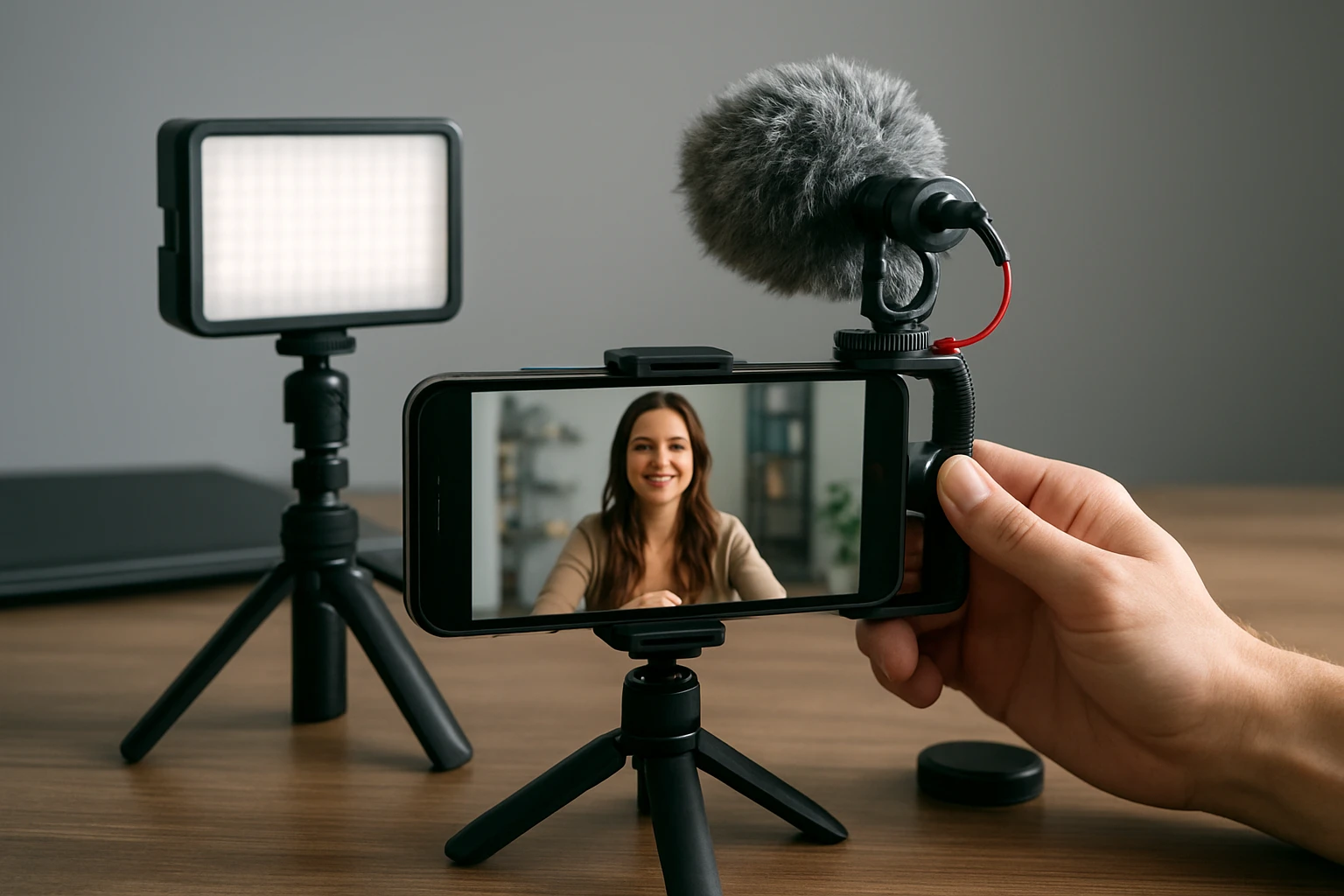
3. Mini Mic Pro Wireless Lavalier Microphone
The Mini Mic Pro supplies studio‑grade audio in a pocket‑sized lavalier that connects via USB‑C or Lightning without the need for Bluetooth pairing. Rated 4.4 out of 5 stars by over seven thousand reviewers, it captures clear speech while rejecting background noise, making it ideal for interview‑style content and instructional videos.
- Wireless operation with plug‑and‑play connectivity.
- Includes high‑density foam windscreen and dead‑cat cover for outdoor recording.
- Rechargeable battery provides up to six hours of continuous use.
- Weight under one ounce for unobtrusive placement.
- Price: $18.28.
- Rating: 4.4/5.0 (7,114 reviews).
Comparison and Selection Guide
Selecting the appropriate kit depends on budget, target service, and workflow preferences. The table below contrasts the three featured products across key dimensions.
| Feature | DJI Osmo Pocket 3 Creator Combo | DJI Osmo Pocket 3 (Standard) | Mini Mic Pro |
|---|---|---|---|
| Sensor Size | 1‑inch CMOS | 1‑inch CMOS | N/A |
| Maximum Video Resolution | 4K @ 120 fps (slow‑motion) | 4K @ 120 fps (slow‑motion) | N/A |
| Stabilization | 3‑axis mechanical | 3‑axis mechanical | N/A |
| Audio Solution | DJI Mic 2 (wireless, up to 250 ft) | None (requires external mic) | Wireless lavalier, up to 250 ft |
| Battery Life (continuous) | ~22 minutes (max video) | ~22 minutes (max video) | ~6 hours per charge |
| Price (USD) | $22.09 | Unavailable | $18.28 |
| Customer Rating | Not listed | Not listed | 4.4/5 (7,114 reviews) |
For creators focused on full‑service production—including both video and audio—the Creator Combo represents the most comprehensive solution. Those who already possess a high‑quality microphone may opt for the standard version to reduce initial expense. The Mini Mic Pro excels as a dedicated audio device for any smartphone or camera setup.
Best Practices and Tips for Scaling Your Business
Equipment alone does not guarantee success; disciplined processes and strategic marketing amplify revenue potential. The following practices have proven effective for independent video professionals.
- Standardize Workflow: Use a consistent file‑naming convention, backup routine, and editing template to reduce turnaround time.
- Leverage Templates: Create pre‑made motion graphics, lower‑thirds, and color‑grade presets that align with common client branding.
- Offer Tiered Packages: Provide basic, standard, and premium service bundles that differ in shoot duration, deliverables, and revisions.
- Invest in Client Education: Share short tutorials that explain the value of high‑quality video, encouraging clients to choose higher‑priced packages.
- Track Metrics: Monitor average project length, profit margin per hour, and client acquisition cost to identify growth opportunities.
- Expand Distribution Channels: Repurpose content for multiple platforms—short clips for TikTok, longer edits for YouTube, and behind‑the‑scenes reels for Instagram.
By integrating these habits, one can increase efficiency, command higher rates, and gradually outsource repetitive tasks such as color correction or captioning.
Frequently Asked Questions
- What type of smartphone is compatible with the DJI Osmo Pocket 3?
- The device operates independently of a phone; it records internally to a microSD card, making it compatible with any smartphone that can transfer files via USB‑C or Wi‑Fi.
- Do I need a separate microSD card for the Osmo Pocket 3?
- Yes, the camera saves footage to an inserted microSD card; a UHS‑I class 3 card is recommended for 4K recording.
- Can the Mini Mic Pro be used with a DSLR?
- While optimized for smartphones, the Mini Mic Pro includes a 3.5 mm TRS adapter, allowing connection to most DSLR and mirrorless cameras.
- How long does the DJI Mic 2 battery last?
- The wireless transmitter provides up to eight hours of continuous use, and the battery handle included in the Creator Combo extends recording time for the gimbal.
- Is it necessary to purchase the DJI 30W USB‑C charger?
- The charger accelerates battery replenishment, reaching 80 % charge in 16 minutes; it is recommended for professionals who require rapid turnaround between shoots.
Conclusion
Monetizing smartphone filmmaking requires a blend of technical proficiency, strategic service design, and thoughtful equipment selection. By adopting the recommended kit—featuring the DJI Osmo Pocket 3 Creator Combo, the optional standard version, and the Mini Mic Pro—creators can deliver professional‑grade video and audio without prohibitive cost. Coupled with disciplined workflows and tiered service offerings, these tools enable sustainable revenue growth and the ability to scale operations as demand increases.
Products Featured in This Guide
DJI Osmo Pocket 3 Creator Combo
Price: $22.09
Why featured: Provides an all‑in‑one video and audio solution with 1‑inch sensor, 4K/120 fps capability, and included DJI Mic 2 for professional sound.
DJI Osmo Pocket 3
Price: Unavailable (currently out of stock)
Why featured: Offers the same high‑quality imaging platform at a lower entry cost for creators who already own a microphone.
Mini Mic Pro
Price: $18.28
Rating: 4.4/5.0 (7,114 reviews)
Why featured: Delivers studio‑quality wireless audio in a miniature form factor, essential for clear voice capture in tutorials and interviews.