Introduction
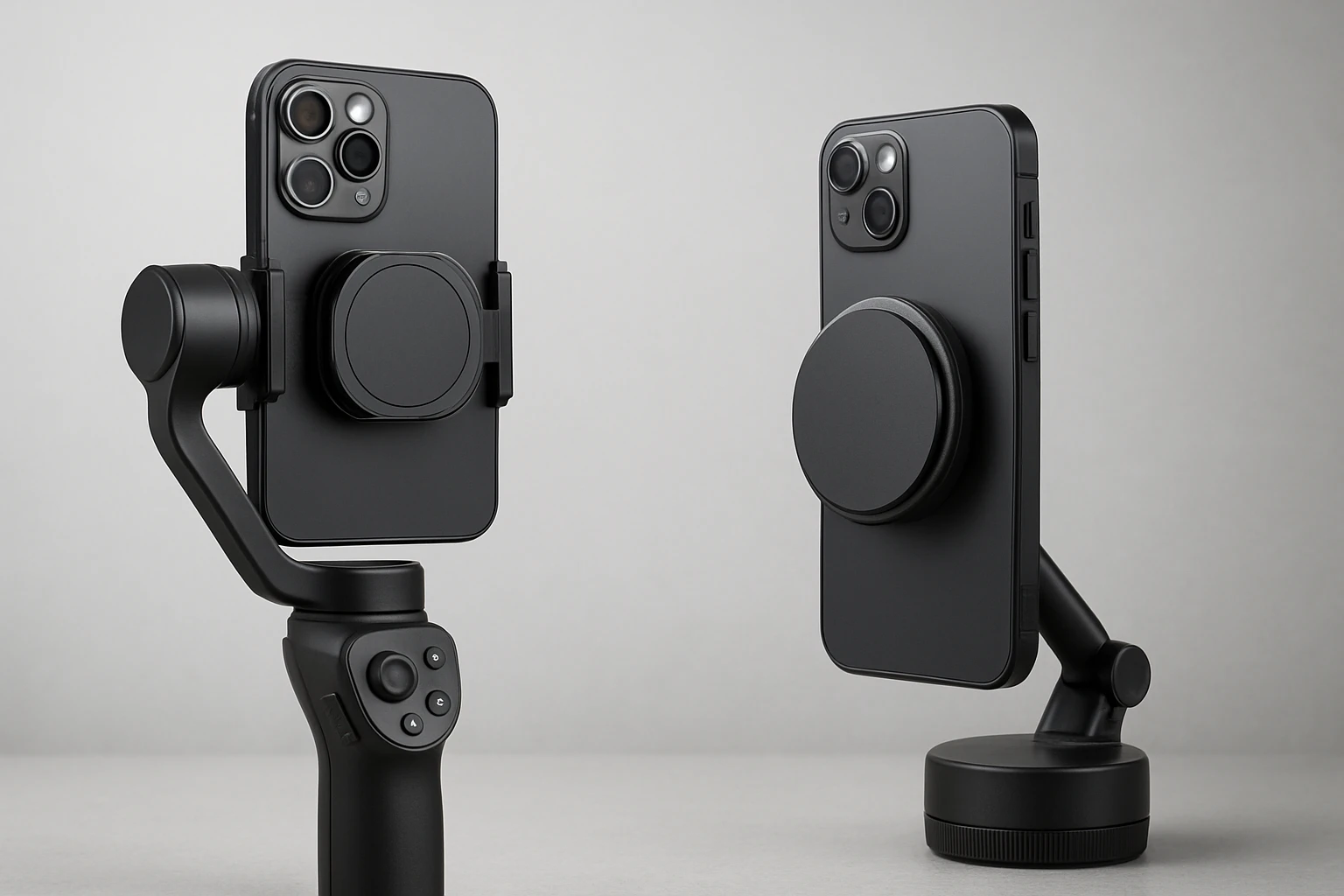
This guide examines the rapidly expanding ecosystem of MagSafe‑compatible gimbal mounts and magnetic phone mounts. Readers will learn the essential technical concepts, understand compatibility matrices, and acquire step‑by‑step setup instructions. The article also presents carefully vetted product recommendations that align with professional and enthusiast use cases. By the end of the guide, one will be equipped to select, install, and maintain the optimal magnetic mounting solution for any stabilizer workflow.
Background and Context
MagSafe technology originated as a proprietary magnetic charging and accessory system for Apple devices, employing a ring of N52‑grade neodymium magnets. The same magnetic principles have been extended to third‑party accessories, enabling rapid attachment and release without compromising structural integrity. Gimbal manufacturers have adopted MagSafe adapters to replace traditional clamp mechanisms, thereby reducing bulk and improving balance. Understanding magnetic force, weight limits, and material compatibility is crucial for safe and reliable operation.
Key Concepts and Product Categories
Magnetic mounting solutions can be grouped into three primary categories: phone‑ring holders, gimbal‑specific adapters, and universal magnetic mounts. Phone‑ring holders provide a dual function of grip and stand, often featuring 360° rotation for ergonomic viewing. Gimbal‑specific adapters replace the original clamp on stabilizers such as the DJI Osmo series, offering one‑handed release and improved weight distribution. Universal magnetic mounts are designed for use on any ferromagnetic surface, extending the utility of a smartphone beyond the gimbal itself.
Phone‑Ring Holders
The Syncwire Magnetic Phone Ring Holder exemplifies a high‑performance ring holder. It incorporates N55 NdFeB magnets that deliver a magnetic force five times stronger when paired with the included metal ring. The dual‑sided design allows the ring to function both as a grip and as a rear‑mount for metal surfaces such as refrigerators or gym equipment. A patented decompression mechanism combines gears and spring plates, providing a tactile click that doubles as a stress‑relief feature.
- Super strong N55 magnets; enhanced to 10 lb (5 kg) with metal ring.
- Dual‑sided magnetic capability; rear side supports up to 2.2 lb (1 kg).
- 360° rotation and 90° flip for versatile viewing angles.
- Flat‑bottom fulcrum design eliminates wobble during horizontal placement.
Gimbal‑Specific Magnetic Adapters
The Aerbeis Magnetic Mount for DJI Osmo Mobile replaces the original clamp on DJI Osmo models, supporting iPhone 12‑series MagSafe devices and other smartphones with the supplied metal ring. Its double‑sided magnet permits attachment to metallic walls, expanding the mounting possibilities beyond the gimbal. The adapter is engineered to avoid interference with side buttons, a common complaint with traditional clamps.
- Compatible with DJI Osmo Mobile 8P, 8, 7P, 7, 6, SE, and OM series.
- Supports MagSafe iPhones and non‑MagSafe phones via metal ring.
- Strong magnets ensure secure hold while allowing rapid one‑handed release.
- Includes magnetic wall‑mount capability for versatile positioning.
The Gaekol Magnetic Mount for DJI Osmo offers a telescopic buckle that accommodates larger smartphones and integrates with DJI OM Multifunctional Module Gen 1. Its precision‑engineered magnets provide a wobble‑free connection, essential for high‑speed motion capture. The lightweight construction adds negligible bulk, preserving the gimbal’s balance and battery life.
- Exclusive compatibility with DJI OM 8P, 8, 7P, and 7 models.
- Telescopic design adapts to bulky phones while maintaining a secure magnetic lock.
- Supports DJI OM Multifunctional Module Gen 1, adding tracking and lighting capabilities.
- Portable, durable build suitable for on‑the‑go creators.
Finally, the Insta360 Flow 2 Magnetic Phone Mount is tailored for the Insta360 Flow 2 Pro/Flow 2 gimbal. It utilizes N52‑grade magnets and a 360° rotatable metal ring that doubles as a stand. The silicone interface protects the phone from scratches, and the mount is limited to iPhone 12 series and later devices with MagSafe.
- Strong N52 magnets provide reliable grip for MagSafe‑enabled iPhones.
- 360° rotatable ring serves as a compact phone stand.
- Soft silicone surface prevents surface damage.
- Designed specifically for Insta360 Flow 2 series.
Comparison and Selection Guide
Selecting the appropriate magnetic mount depends on three core criteria: device compatibility, mounting environment, and functional requirements such as rotation or dual‑sided use. The following table summarizes the key specifications of the four featured products.
| Product | Primary Use | Magnet Grade | Weight Capacity (Phone) | Rotation | Price | Rating |
|---|---|---|---|---|---|---|
| Syncwire Magnetic Phone Ring Holder | Grip & stand | N55 | 2.6‑3 lb (1.2‑1.4 kg) | 360° + 90° flip | $14.44 | 4.4/5 (10,951 reviews) |
| Aerbeis Magnetic Mount for DJI Osmo Mobile | Gimbal clamp replacement | Not specified (strong) | Up to 3 lb (1.4 kg) | Fixed | $14.95 | 4.5/5 (1,292 reviews) |
| Gaekol Magnetic Mount for DJI Osmo | Gimbal adapter with telescopic fit | Strong (unspecified) | Up to 3 lb (1.4 kg) | Fixed | $24.99 | 4.3/5 (34 reviews) |
| Insta360 Flow 2 Magnetic Phone Mount | Gimbal‑specific mount | N52 | Up to 3 lb (1.4 kg) | 360° rotatable ring | $19.99 | 4.5/5 (623 reviews) |
For creators who require a versatile grip and a portable stand, the Syncwire Ring Holder offers the most comprehensive feature set. Users of DJI Osmo series who prioritize rapid one‑handed release should consider the Aerbeis adapter for its wall‑mount capability and button‑friendly design. Professionals needing compatibility with the DJI OM Multifunctional Module Gen 1 will benefit from the Gaekol adapter’s telescopic buckle. Finally, owners of the Insta360 Flow 2 ecosystem should select the Insta360 Magnetic Phone Mount for seamless integration and optimal weight distribution.
Best Practices and Tips
When integrating magnetic mounts into a stabilizer workflow, one should follow several best practices to ensure safety and performance. First, verify that the smartphone case includes a built‑in MagSafe ring or attach the supplied metal ring before mounting; this maximizes magnetic coupling and prevents accidental detachment. Second, regularly inspect the magnet surfaces for dust or debris, as contaminants can reduce holding strength. Third, avoid exceeding the advertised weight limits, especially when using additional accessories such as external lenses or microphones. Fourth, test the mount at low speeds before committing to high‑intensity motion to confirm that the magnetic connection remains secure. Finally, store magnetic accessories away from credit cards and other magnetic‑sensitive items to prevent data loss.
Frequently Asked Questions
- Can I use a magnetic mount with a non‑MagSafe iPhone? Yes, most adapters include a metal ring that can be attached to any smartphone case, thereby creating a temporary magnetic surface.
- Will the magnetic force interfere with the gimbal’s sensors? Properly designed magnetic mounts, such as those featured in this guide, are shielded to avoid electromagnetic interference with the gimbal’s IMU and motor controllers.
- Is it safe to mount a phone while recording high‑speed motion? As long as the phone’s weight remains within the specified limits and the mount is correctly aligned, magnetic connections are reliable for rapid movements.
- How do I clean the magnet surfaces? Use a soft, lint‑free cloth slightly dampened with isopropyl alcohol; avoid abrasive cleaners that could damage the magnet coating.
- Can I stack multiple magnetic mounts? Stacking is not recommended because it reduces the effective magnetic field and may cause slippage during operation.
- Do magnetic mounts work with cases that have metal plates? Yes, provided the metal plate is positioned within the magnetic field radius; however, thicker plates may slightly diminish magnetic strength.
- What warranty do these products offer? Warranty terms vary by manufacturer; most reputable brands provide at least a one‑year limited warranty covering manufacturing defects.
Conclusion
This guide has outlined the technical foundations, compatibility considerations, and practical recommendations for MagSafe gimbal mounts and magnetic phone mounts. By understanding magnetic grades, weight capacities, and ergonomic features, one can make an informed decision that enhances both stability and workflow efficiency. The featured products illustrate the range of solutions available, from versatile ring holders to specialized gimbal adapters. Implementing the best practices outlined herein will ensure a safe, reliable, and enjoyable shooting experience.
Products Featured in This Guide
Syncwire Magnetic Phone Ring Holder
Price: $14.44 | Rating: 4.4/5 (10,951 reviews)
Featured for its dual‑sided magnetic design, 360° rotation, and patented decompression mechanism that provides both grip stability and stress‑relief functionality.
Aerbeis Magnetic Mount for DJI Osmo Mobile
Price: $14.95 | Rating: 4.5/5 (1,292 reviews)
Featured for its ability to replace the original DJI clamp, providing a quick‑release magnetic solution that avoids interference with side buttons.
Gaekol Magnetic Mount for DJI Osmo
Price: $24.99 | Rating: 4.3/5 (34 reviews)
Featured for its telescopic buckle that accommodates larger phones and its seamless integration with DJI OM Multifunctional Module Gen 1.
Insta360 Flow 2 Magnetic Phone Mount
Price: $19.99 | Rating: 4.5/5 (623 reviews)
Featured for its N52‑grade magnets, 360° rotatable ring, and silicone protective surface, specifically engineered for the Insta360 Flow 2 series.