
Introduction
This guide provides a comprehensive overview of the equipment and techniques required to capture high‑quality wedding video using a smartphone. Readers will learn about core components, accessory choices, and step‑by‑step setup procedures that ensure reliable performance on the most important day. The article also highlights a budget‑friendly gimbal that delivers professional stabilization without excessive complexity. By the end of the guide, one will possess a clear checklist and actionable best practices for a seamless wedding videography experience.
Background and Context
Smartphone cameras have advanced dramatically, offering large sensors, optical image stabilization, and computational photography features that rival traditional camcorders. However, weddings present unique challenges such as low‑light environments, rapid movement, and extended shooting periods. Understanding these constraints allows videographers to select gear that mitigates common pitfalls. In addition, familiarity with basic concepts such as payload capacity, battery endurance, and audio capture is essential for informed decision‑making.
Core Components of a Wedding Smartphone Videography Kit
1. Smartphone Selection
The foundation of any mobile video setup is the smartphone itself. Models released in the past two years typically include sensor sizes of 1/1.7" or larger, support for 4K recording at 60 fps, and advanced HDR processing. Users should verify that the device can accommodate third‑party accessories without obstructing ports or sensors. A high‑capacity battery (minimum 4,000 mAh) is recommended to avoid interruptions during long ceremonies.
2. Stabilization
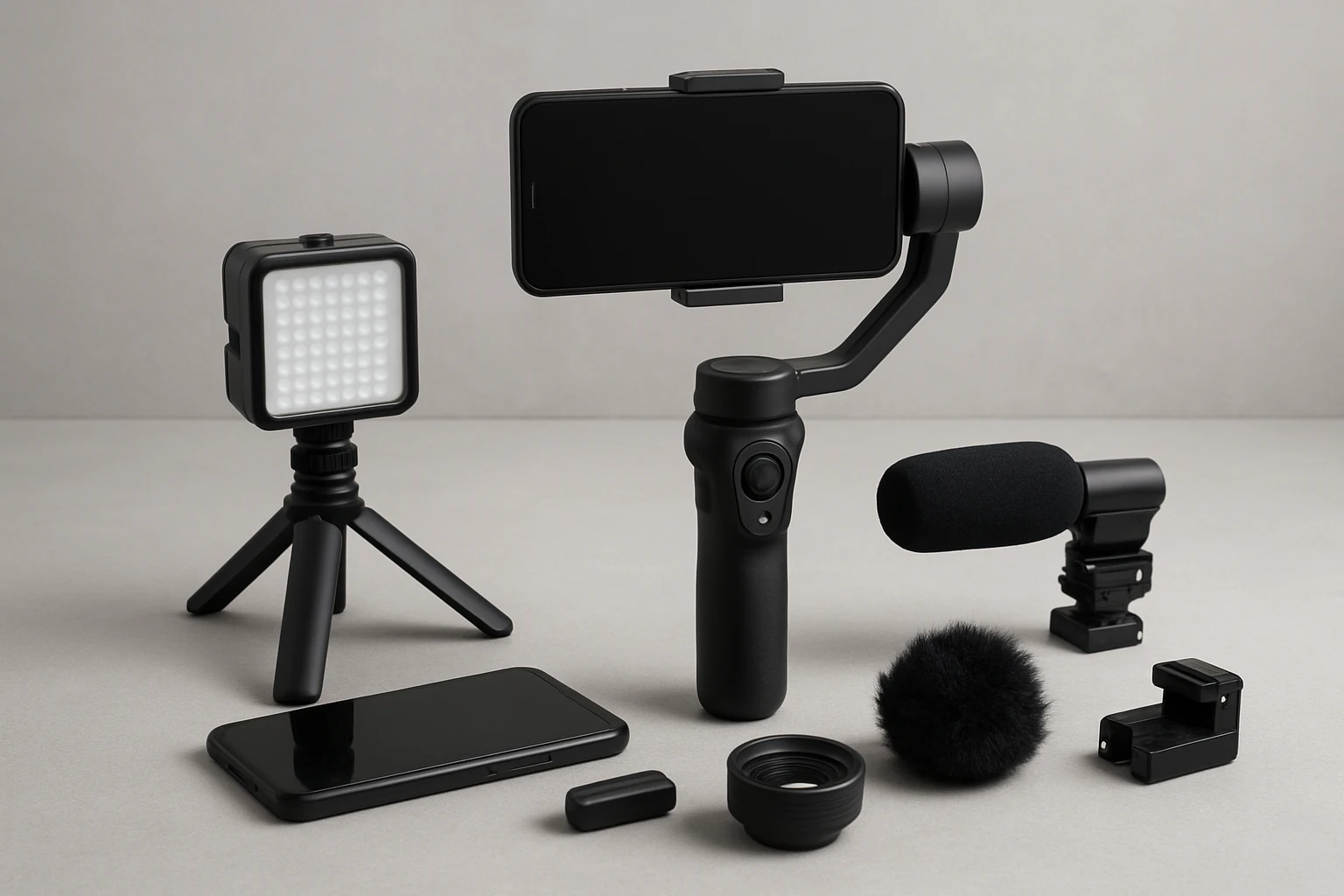
Handheld footage without stabilization often appears jittery, especially when walking down aisles or following moving subjects. A three‑axis gimbal provides mechanical isolation that smooths out unwanted motion while preserving intentional pans and tilts. The Hohem iSteady X3 SE Gimbal offers a lightweight, fold‑able design that supports smartphones up to 0.66 lb, making it suitable for most flagship devices. Its detachable magnetic remote enables control from up to 32.81 ft, allowing the operator to stay unobtrusive during vows.
Key specifications of the Hohem iSteady X3 SE include:
- Advanced iSteady 8.0 technology with three‑axis stabilization
- 11‑hour battery life on a 2‑hour charge
- Payload capacity of 0.66 lb (300 g)
- Portability: folds to pocket size and weighs only 0.79 lb
The gimbal’s integration with the Hohem Joy app adds AI tracking, gesture control, and creative templates, expanding creative possibilities without requiring additional hardware.
3. Audio Capture
Clear audio is as critical as steady visuals. Built‑in smartphone microphones often capture ambient noise and lack directional sensitivity. External lavalier microphones, shotgun adapters, or wireless audio transmitters provide superior fidelity. When selecting an audio solution, prioritize models that offer a 3.5 mm TRRS plug or USB‑C compatibility, low latency, and battery life exceeding the event duration.
4. Lighting
Weddings frequently transition from bright ceremony spaces to dimly lit reception areas. Portable LED panels with adjustable color temperature help maintain consistent exposure. Look for lights that mount directly onto the gimbal or a small rig, and that provide a battery life of at least 4 hours at 50 % output.
5. Power Management
Extended shooting demands reliable power sources. In addition to the smartphone’s internal battery, carry high‑capacity power banks (minimum 20,000 mAh) and spare gimbal batteries. The Hohem iSteady X3 SE’s 11‑hour runtime reduces the need for frequent swaps, yet a backup battery ensures uninterrupted operation during multi‑hour ceremonies.
Accessory Recommendations
Beyond the core components, several accessories enhance efficiency and professionalism.
- Protective Carrying Case: A padded case with dedicated compartments protects the gimbal, smartphone, and accessories while on the move.
- Quick‑Release Mount: Enables rapid attachment and detachment of the smartphone, reducing downtime between shots.
- Tripod Adapter: Converts the gimbal into a stable platform for static shots such as speeches or cake cutting.
- Wireless Remote Trigger: The detachable remote of the Hohem iSteady X3 SE serves this purpose, allowing hands‑free start/stop commands.
Comparison and Selection Guide
Choosing the right stabilization solution requires evaluating several criteria. The table below compares the Hohem iSteady X3 SE with two generic categories of alternatives: high‑end motorized gimbals and basic handheld rigs.
| Feature | Hohem iSteady X3 SE | High‑End Motorized Gimbal | Basic Handheld Rig |
|---|---|---|---|
| Price | $54.99 | $200‑$300 | $15‑$30 |
| Payload Capacity | 0.66 lb | 0.88 lb+ | None (static) |
| Battery Life | 11 hours | 6‑8 hours | N/A |
| Portability | Foldable, 0.79 lb | Heavier, less compact | Very light |
| App Integration | Hohem Joy (AI tracking, templates) | Varies, often limited | None |
For wedding videographers who require a balance of performance, affordability, and portability, the Hohem iSteady X3 SE emerges as the most practical choice. Its long battery life and remote control capability address the specific demands of ceremony coverage.
Best Practices & Tips
- Perform a full system test at least 48 hours before the wedding. Verify that the gimbal balances the smartphone, the remote connects, and the battery charges fully.
- Use the gimbal’s portrait mode when filming speeches or table‑side interviews, then switch to landscape for ceremony coverage. The quick horizontal‑vertical transition saves time.
- Leverage the Hohem Joy app’s AI tracking to follow the bride and groom without manual pan adjustments, ensuring smooth motion during processional walks.
- Record a short audio reference clip with the chosen microphone before the ceremony to confirm levels and eliminate background hiss.
- Carry a spare smartphone or an external storage solution (e.g., high‑speed microSD) to prevent data loss if the device reaches its storage limit.
- Maintain a consistent lighting plan: use LED panels for reception dancing and rely on natural light during the ceremony, adjusting ISO and exposure in the smartphone’s manual mode.
- Plan battery swaps during transitional moments (e.g., cocktail hour) to avoid missing critical footage.
Frequently Asked Questions
1. Can the Hohem iSteady X3 SE support larger phones such as the iPhone 15 Pro Max?
Yes, the gimbal’s payload capacity of 0.66 lb accommodates the iPhone 15 Pro Max, which weighs approximately 0.48 lb, ensuring stable operation.
2. How long does it take to fully charge the gimbal?
The device reaches full charge in about two hours, providing up to eleven hours of continuous filming.
3. Is the magnetic remote compatible with metal‑free cases?
The detachable remote uses magnetic attachment; therefore, it functions best with cases that contain metal components. Users with fully plastic cases may need to attach the remote to the gimbal body directly.
4. Does the Hohem Joy app work on Android devices?
Yes, the app is available for both iOS and Android platforms, offering identical feature sets across operating systems.
5. What warranty does Hohem provide for the iSteady X3 SE?
Hohem typically offers a one‑year limited warranty covering manufacturing defects, but buyers should confirm the exact terms on the product page.
6. Can the gimbal be used for live streaming?
Absolutely. The eleven‑hour battery life and stable three‑axis support make it suitable for extended live streams via platforms such as Instagram Live or YouTube.
7. How does the gimbal handle uneven terrain?
The three‑axis stabilization compensates for minor bumps and uneven surfaces, but users should avoid extreme jolts that exceed the motor’s torque limits.
Conclusion
Creating a professional wedding video with a smartphone is achievable when the right gear, accessories, and workflow are employed. The Hohem iSteady X3 SE Gimbal delivers essential stabilization, long battery endurance, and intuitive remote control at an accessible price point. By following the checklist, best‑practice tips, and equipment recommendations outlined in this guide, videographers can capture memorable moments with cinematic quality and reliability.
Products Featured in This Guide
Hohem iSteady X3 SE Gimbal
Price: $54.99
Rating: 4.2/5.0 (1,831 reviews)
Featured because it provides professional‑grade three‑axis stabilization, a detachable remote for remote operation, and an eleven‑hour battery life, all of which are critical for uninterrupted wedding videography.