Introduction
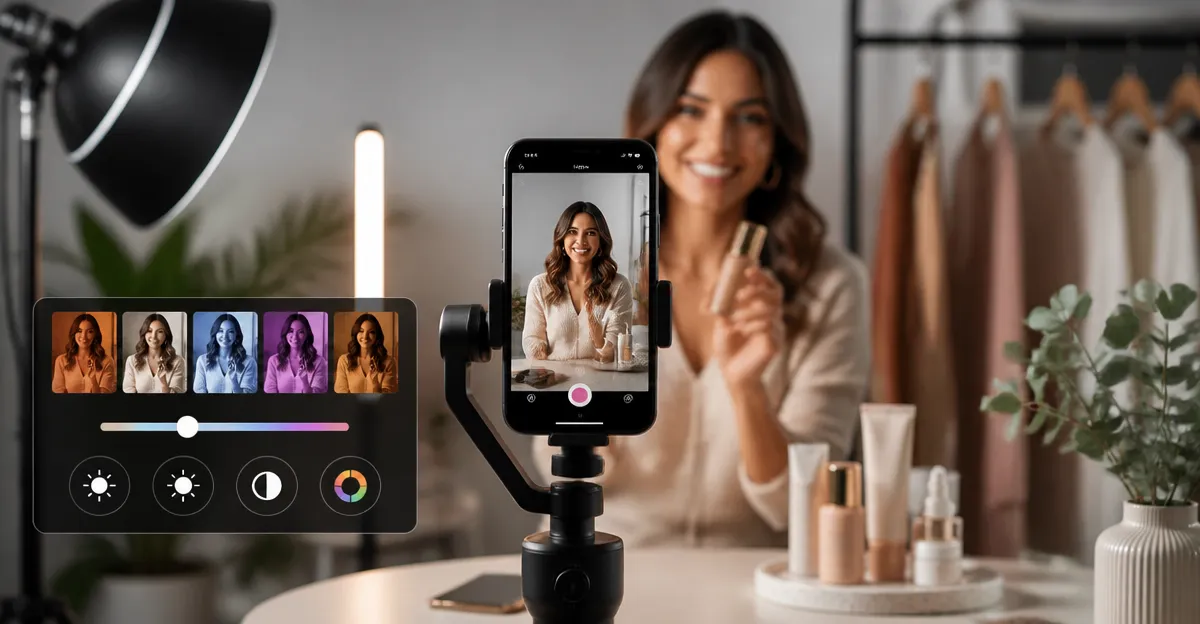
Brands that publish Instagram Reels must present their products and personalities under optimal lighting. This guide explains how to select, configure, and apply lighting presets using only a smartphone and a handful of affordable accessories. Readers will learn the science behind light quality, the specific presets that work for different content styles, and which gear delivers the best results without breaking the budget. By the end, one will be able to produce consistent, professional‑looking videos that increase engagement and conversion rates.
Background/Context
Lighting influences color accuracy, texture definition, and the perceived mood of every frame. On mobile cameras, the sensor captures a limited dynamic range, which means that harsh shadows or flat illumination can degrade the final Reel. Understanding key terms—such as color temperature (measured in Kelvin), CRI (Color Rendering Index), and diffusion—enables creators to make informed decisions. Modern smartphone lenses, combined with external lights, can emulate studio‑grade conditions when the right presets are applied.
Lighting Preset Categories
1. Natural‑Light Mimic (Cool White)
This preset replicates daylight at 5600 K, ideal for product showcases that require true‑to‑life colors. A cool, neutral tone reduces warm color casts and highlights fine details on fabrics, cosmetics, and electronics. For creators who film near a window, a supplemental light ensures consistent illumination when the sun moves behind clouds.
Recommended gear: ALTSON Portable Selfie Light. This 60‑LED panel offers three modes (White, Natural, Warm) and ten brightness levels, allowing precise matching to daylight. Its CRI of 97+ guarantees color fidelity comparable to professional studio lights, while the 2200 mAh battery provides up to 15 hours of standby time. At a price of $12.49 and a rating of 4.5 / 5 from 6,430 reviews, it is a cost‑effective solution for on‑the‑go creators.
2. Warm Glow (Soft Warm)
Warm lighting (3000 K–3500 K) creates an inviting atmosphere, perfect for lifestyle reels, makeup tutorials, and behind‑the‑scenes storytelling. The softer hue accentuates skin tones and adds a subtle golden rim that conveys comfort and authenticity.
Recommended gear: UBeesize 12" Ring Light. With five color modes ranging from 3000 K warm to 6000 K cool, creators can easily switch to a warm glow. The ring’s 240 LEDs deliver even illumination, while the 62‑inch tripod provides flexible positioning for portrait or overhead shots. Priced at $29.69 and rated 4.4 / 5 by 98,748 reviewers, it combines versatility with affordability.
3. Studio Softbox (Diffused Neutral)
A softbox produces broad, even light that eliminates harsh shadows, making it the go‑to choice for product photography and interview‑style reels. The diffusion material spreads light across a larger area, ensuring that textures such as fabric weave or metal finish appear smooth and detailed.
Recommended gear: Torjim Softbox Lighting Kit. Each 16" × 16" softbox contains an 85 W LED bulb with adjustable color temperature from 3000 K to 7500 K, and the kit includes two softboxes, remote controls, and sturdy aluminum tripods. The PET fabric and nylon cover deliver high reflectivity and soft diffusion, while the 210° rotatable head allows precise angle adjustments. At $63.99 with a 4.4 / 5 rating from 867 reviews, it offers professional‑grade lighting for a modest investment.
4. Compact Desk Light (Focused Fill)
Desk‑mounted lights are ideal for livestreams, webinars, and quick product demos performed at a workstation. A focused fill light positioned just above the camera reduces facial shadows without occupying valuable desk space.
Recommended gear: LitONES Desk Ring Light. This 7‑inch LED panel features a CRI of 97.8, three adjustable color temperatures, and ten brightness levels, delivering uniform illumination across a compact footprint. Its 360° rotation and detachable phone holder make it adaptable for both video calls and content creation. Priced at $36.99 and earning a 4.5 / 5 rating from 736 reviewers, it balances performance with a sleek desktop aesthetic.
5. Dual‑Light Portable Kit (High‑Brightness)
When filming in low‑light environments such as dimly lit cafés or home studios, a high‑output light ensures the subject remains bright and detailed. Dual‑light kits provide balanced key and fill lighting, reducing the need for post‑production correction.
Recommended gear: Torjim 12" Video Light Kit. Each 30 W panel offers adjustable color temperature from 3000 K to 6500 K and nine brightness levels, delivering powerful illumination for indoor shoots. The kit includes two tripod stands, phone holders, a Bluetooth remote, and a carrying bag for easy transport. At $49.99 and a 4.5 / 5 rating from 3,399 reviews, it provides a robust solution for creators who need flexibility and strength.
Comparison/Selection Guide
| Feature | ALTSON Portable Selfie Light | Torjim Softbox Kit | UBeesize Ring Light | LitONES Desk Light | Torjim Video Light Kit |
|---|---|---|---|---|---|
| Power Source | Rechargeable 2200 mAh battery | AC‑powered LED bulb | USB‑powered (5 V) | USB‑powered (5 V) | AC wall plug (no adapter) |
| Brightness Levels | 10 levels | Remote dimming (continuous) | 10 levels | 10 levels | 9 levels |
| Color Temperature Range | 2500 K‑6500 K | 3000 K‑7500 K | 3000 K‑6000 K | 3000 K‑6500 K | 3000 K‑6500 K |
| Portability | Pocket‑size, 95 g | Foldable softbox, moderate | Portable tripod, 62 in | Desktop‑oriented | Two‑light kit with bag |
| Price (USD) | 12.49 | 63.99 | 29.69 | 36.99 | 49.99 |
| Average Rating | 4.5/5 | 4.4/5 | 4.4/5 | 4.5/5 | 4.5/5 |
The table above helps brands quickly identify which product aligns with their shooting environment, budget, and mobility requirements. For on‑the‑go influencers, the ALTSON Selfie Light offers the smallest footprint. For studios that prioritize diffusion, the Torjim Softbox Kit provides the most even light. When a balance of portability and power is needed, the Torjim Video Light Kit delivers dual‑light flexibility without excessive bulk.
Best Practices & Tips
- Set the color temperature to match the ambient environment: use cool daylight (5600 K) for product clarity, and warm tones (3000 K) for lifestyle storytelling.
- Position the light at a 45‑degree angle from the subject to create a natural catch‑light and avoid flat lighting.
- Utilize diffusion (softbox or ring‑light diffuser) to soften shadows on skin, which reduces the need for post‑production retouching.
- When filming with a smartphone, enable the manual exposure mode (if available) and lock focus on the subject before starting the Reel.
- Combine a key light (e.g., Torjim Video Light) with a fill light (e.g., LitONES Desk Light) to balance highlights and shadows in low‑light rooms.
- Keep the light source slightly above eye level to achieve flattering illumination and prevent unflattering under‑chin shadows.
- Test each preset for at least five seconds of recording to ensure the smartphone sensor does not introduce flicker at the chosen brightness.
FAQ
Can I achieve professional lighting with only a smartphone?
Yes. By using external LED panels with high CRI values and adjustable color temperature, a smartphone can capture footage that rivals entry‑level DSLR setups.
Do I need a power outlet for every light?
Not necessarily. Battery‑powered options such as the ALTSON Portable Selfie Light provide up to 15 hours of standby, while USB‑powered lights can draw power from a power bank or laptop.
How do I avoid harsh shadows when filming indoors?
Employ diffusion (softbox or ring‑light diffuser) and place the light at a 45‑degree angle. Adding a secondary fill light at lower intensity further softens shadows.
Is a ring light always the best choice for makeup reels?
Ring lights produce even, circular catch‑lights that are flattering for close‑up facial work, but a softbox can offer a more natural, less “glossy” look for editorial style.
What is the ideal brightness level for outdoor Reels?
When shooting in bright daylight, set the external light to a low brightness (10‑20 %) to act as a fill rather than a primary source, preventing overexposure.
Can I control lighting without touching the device?
Yes. Products such as the Torjim Video Light Kit include a Bluetooth remote, and many USB‑powered lights respond to smartphone apps for hands‑free adjustments.
Conclusion
Effective lighting is the cornerstone of high‑performing Instagram Reels, and brands no longer need expensive studio equipment to achieve it. By understanding color temperature, diffusion, and placement, creators can select the appropriate preset—whether it is a cool natural‑light mimic, a warm lifestyle glow, or a dual‑light high‑brightness setup. The recommended products, ranging from the pocket‑size ALTSON Selfie Light to the versatile Torjim Video Light Kit, provide scalable solutions for every budget and shooting scenario. Implement the best‑practice tips, test each preset, and watch engagement metrics rise as your visual storytelling becomes clearer, more professional, and more compelling.
Products Featured in This Guide
ALTSON Portable Selfie Light
Price: $12.49 | Rating: 4.5/5 (6,430 reviews)
Featured for its high CRI 97+, three light modes, and ultra‑portable battery‑powered design, making it ideal for on‑the‑go Reels.
Torjim Softbox Lighting Kit
Price: $63.99 | Rating: 4.4/5 (867 reviews)
Featured for its 85 W adjustable LED bulbs, high‑quality diffusion fabric, and sturdy tripod system, delivering studio‑like softness.
UBeesize 12" Ring Light
Price: $29.69 | Rating: 4.4/5 (98,748 reviews)
Featured for its 240 LEDs, five color modes, 62‑inch adjustable tripod, and remote control, offering versatile framing options.
Torjim 12" Video Light Kit
Price: $49.99 | Rating: 4.5/5 (3,399 reviews)
Featured for its dual 30 W lights, adjustable color temperature, Bluetooth remote, and travel‑ready carrying case.
LitONES Desk Ring Light
Price: $36.99 | Rating: 4.5/5 (736 reviews)
Featured for its high CRI 97.8, compact desktop form factor, and 360° rotation, perfect for video calls and desk‑bound content creation.
Frequently Asked Questions
What are the essential lighting presets for Instagram Reels on a smartphone?
The core presets are Soft Diffuse (for even skin tones), Warm Glow (to add a cozy feel), Cool Contrast (for product detail), Ring Light (for close‑ups), and Backlight Rim (to separate subject from background).
How does color temperature affect the look of a Reel?
Color temperature, measured in Kelvin, determines whether the light appears warm (lower Kelvin) or cool (higher Kelvin), influencing mood and color accuracy.
Do I need expensive gear to achieve studio‑grade lighting with a phone?
No; affordable LED panels, a simple diffuser, and a clip‑on ring light can replicate studio lighting when paired with the right presets.
What is CRI and why is it important for mobile video?
CRI (Color Rendering Index) rates how accurately a light source reproduces colors; a CRI of 90+ ensures true‑to‑life colors on smartphone cameras.
How can I maintain consistent lighting across multiple Reels?
Use the same preset settings, keep the light distance and angle constant, and calibrate your phone’s white balance before each shoot.