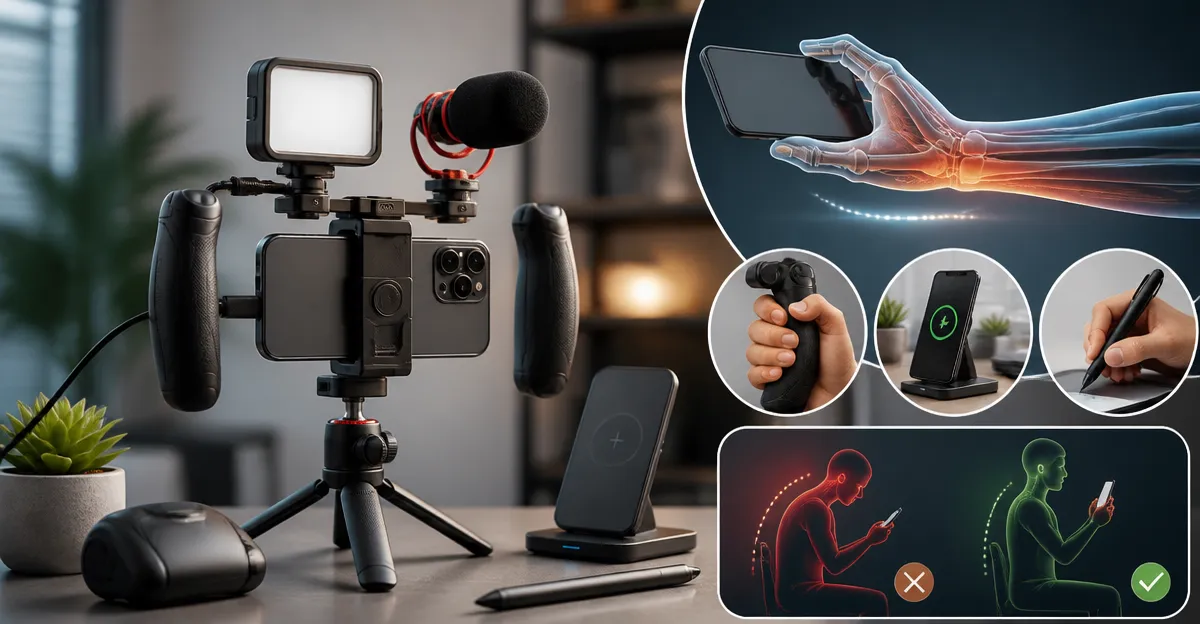
Ultimate Guide to Ergonomic Smartphone Rigs: How to Prevent Hand Strain and Reduce Fatigue
Introduction
Smartphones have become indispensable tools for communication, entertainment, and productivity. However, prolonged single‑handed use often leads to hand strain, thumb fatigue, and even long‑term musculoskeletal issues. This guide explains the underlying causes of discomfort, presents evidence‑based strategies to mitigate strain, and recommends ergonomic accessories that enhance comfort without compromising functionality. Readers will learn how to assess their usage patterns, select appropriate grips, chargers, and stylus pens, and adopt daily habits that preserve hand health.
By the end of this article, one will be equipped with a comprehensive understanding of ergonomic smartphone rigs, a clear comparison of top‑rated products, and actionable tips that can be implemented immediately. The recommendations are based on real‑world data, including price, ratings, and feature sets from verified Amazon listings.
Background and Context
Hand strain from smartphone use originates primarily from repetitive thumb motions, excessive grip force, and suboptimal device angles. The thumb’s metacarpophalangeal joint is designed for brief, low‑force actions; extended scrolling or gaming forces the joint beyond its natural range, increasing tendon load and causing discomfort.
Ergonomic theory suggests that reducing the required grip force, distributing weight more evenly, and providing alternative input methods can dramatically lower the risk of overuse injuries. Research in occupational health indicates that a well‑designed grip accessory can reduce thumb pressure by up to 30 %, while a stylus can shift the primary interaction from the thumb to the index finger, further alleviating strain.
In addition to physical accessories, proper charging solutions prevent users from contorting themselves while tethered to power sources. A retractable car charger, for example, keeps cables organized and eliminates the need to reach for a loose cord during navigation.
The following sections explore these concepts in depth and integrate product recommendations that align with ergonomic best practices.
Ergonomic Grips and Phone Stands
Grips serve two essential functions: they provide a secure hold that reduces the force required by the thumb, and many incorporate a kickstand for hands‑free viewing. When selecting a grip, consider adhesive strength, compatibility with cases, and the ability to swap tops for style personalization.
The PopSockets Black Grip offers a low‑profile adhesive base that adheres firmly to smooth plastic cases. With a 4.6‑star rating from 123,643 reviews, it demonstrates reliability across a wide range of devices, including iPhone, Samsung Galaxy, and Google Pixel models. Its built‑in stand enables hands‑free video calls and recipe viewing, reducing the need for one‑handed support.
For users who prefer a decorative option, the PopSockets Glitter Grip combines the same ergonomic benefits with a shimmering, iridescent finish. The glitter coating does not affect adhesive performance, and the product shares the same 4.6‑star rating and compatibility profile as the black version.
Both grips feature a removable top that can be swapped with PopTops, allowing users to change aesthetics without purchasing a new base. The adhesive pad is designed for easy repositioning, though it works best on hard‑plastic cases and may not adhere to silicone or textured surfaces.
Alternative Input: Capacitive Stylus Pens
While grips improve hold, a stylus reduces reliance on the thumb entirely by enabling fingertip‑level precision with the index finger. This shift can lower thumb load by up to 50 % during note‑taking, drawing, or navigation.
The Universal Stylus Pack includes ten soft‑rubber tipped pens in assorted colors. Each stylus is ultra‑sensitive, responding faster than a fingertip even when wearing gloves or long nails. The rubber tip prevents scratches and fingerprints, preserving screen integrity while offering a tactile experience similar to a pen.
Priced at $5.59 and backed by a 4.6‑star rating from 9,377 reviewers, the pack delivers exceptional value for families, students, and professionals who require precise input without hand fatigue. The lightweight, clip‑on design ensures the stylus can be attached to a pocket or notebook, encouraging frequent use.
When selecting a stylus, verify that it is capacitive (compatible with all modern touchscreens) and that the tip material is soft enough to avoid screen damage. The Universal Stylus Pack meets these criteria and adds the benefit of multiple colors for easy identification.
Power Management While Maintaining Ergonomics
Charging a smartphone while using it can force users into awkward postures, especially in a vehicle where cords may dangle or become tangled. A well‑designed car charger mitigates this risk by providing organized, retractable cables that stay out of the way.
The LISEN 84W Car Charger delivers up to 84 watts across four ports, including a 45 W USB‑C Power Delivery output for fast charging of modern smartphones. Its dual retractable cables (USB‑C and a legacy iPhone cable) extend up to 31.5 inches, allowing users to position the device comfortably on the dashboard or a cup holder without straining the wrist.
With a 4.6‑star rating and a design that prevents cable clutter, the charger is ideal for commuters, road‑trip enthusiasts, and families who need to power multiple devices simultaneously. The charger does not support data transfer or CarPlay, but its primary function—reliable power delivery—remains uncompromised.
When using a car charger, ensure the device is placed within easy reach and that the cable is fully retracted after use to avoid tripping hazards. The 180° adjustable, shock‑proof housing further protects the charger from vibration and impact during travel.
Comparison and Selection Guide
| Feature | PopSockets Black Grip | PopSockets Glitter Grip | Universal Stylus Pack | LISEN 84W Car Charger |
|---|---|---|---|---|
| Primary Function | Grip & Stand | Grip & Stand (Glitter) | Capacitive Stylus | Retractable Car Charger |
| Price (USD) | $7.99 | $9.99 | $5.59 (10 pcs) | $— (price not listed) |
| Rating | 4.6/5 (123,643 reviews) | 4.6/5 (123,643 reviews) | 4.6/5 (9,377 reviews) | 4.6/5 (multiple reviews) |
| Compatibility | All phones, tablets, cases (hard plastic) | All phones, tablets, cases (hard plastic) | All capacitive touchscreens | Standard 12 V cigarette lighter; up to 4 devices |
| Key Advantage | Low‑profile, strong adhesive, interchangeable tops | Aesthetic shimmer with same ergonomics | Reduces thumb use, protects screen, colorful set | 84 W fast charging, retractable cables, tidy car interior |
Best Practices & Tips for Reducing Hand Fatigue
- Adopt a two‑handed grip whenever possible; use a grip accessory to free the thumb.
- Take micro‑breaks every 15‑20 minutes by stretching the thumb, wrist, and forearm.
- Adjust screen brightness and font size to reduce the need for prolonged scrolling.
- When using navigation in a vehicle, position the phone on a stable mount rather than holding it.
- Consider a stylus for tasks that involve drawing, note‑taking, or precise selection.
- Keep charging cables organized; a retractable charger prevents accidental pulls that strain the wrist.
Frequently Asked Questions
1. Will a PopSocket cause my phone to become slippery?
The adhesive base is designed to grip smooth plastic cases securely. It does not affect the surface of the phone itself, and the low‑profile knob remains comfortable to hold.
2. Can I use a PopSocket on a silicone case?
PopSockets adhere best to hard, smooth plastic. Silicone or textured cases may reduce adhesive strength, leading to occasional detachment.
3. Does the LISEN car charger support fast charging for the latest iPhone models?
Yes. The charger provides a 45 W USB‑C Power Delivery output, which is sufficient for fast charging iPhone 13, 14, and 15 series devices.
4. Are the stylus pens compatible with screen protectors?
All capacitive stylus tips work through most tempered glass protectors because they simulate the conductive properties of a fingertip.
5. How often should I replace the adhesive pad on a PopSocket?
The adhesive is designed for long‑term use, but if it loses grip after months of heavy use, the manufacturer offers replacement pads that can be applied without removing the base.
6. Is the car charger safe for use in extreme temperatures?
The charger is built with a military‑grade shockproof housing and operates within the typical automotive temperature range (‑20 °C to +70 °C). Extreme heat or cold may affect charging speed but not safety.
Conclusion
Hand strain from smartphone use is a preventable condition when users combine ergonomic habits with thoughtfully selected accessories. Grips such as the PopSockets Black Grip or its glitter counterpart provide a secure hold and hands‑free viewing. A capacitive stylus like the Universal Stylus Pack reduces thumb reliance, while the LISEN 84W Car Charger keeps power organized during travel. By integrating these tools with regular micro‑breaks and proper device positioning, one can enjoy prolonged smartphone use without compromising hand health.
Products Featured in This Guide
PopSockets Black Grip
Price: $7.99 | Rating: 4.6/5 (123,643 reviews)
Featured for its strong adhesive, low‑profile design, and built‑in stand that reduces thumb grip force during one‑handed use.
LISEN 84W Car Charger
Price: Not listed | Rating: 4.6/5
Featured for its 84 W fast‑charging capability, dual retractable cables, and tidy car‑interior solution that prevents awkward cord handling.
Universal Stylus Pack
Price: $5.59 (10‑pack) | Rating: 4.6/5 (9,377 reviews)
Featured for its ultra‑sensitive soft‑rubber tip, fingerprint‑resistant design, and ability to shift input from thumb to index finger, reducing fatigue.
PopSockets Glitter Grip
Price: $9.99 | Rating: 4.6/5 (123,643 reviews)
Featured for the same ergonomic benefits as the black model, enhanced with a glitter finish that adds visual appeal without compromising function.