Achieve Filmic Bokeh with Phone Lenses: A Step-by-Step Guide to Cinematic Smartphone Photography
Introduction
The desire to capture images that resemble professional cinema has driven many smartphone users to explore advanced techniques such as filmic bokeh. In this guide, readers will learn the fundamentals of bokeh, how to select and use phone lens accessories, and practical workflows that transform ordinary shots into cinematic masterpieces. By the end of the article, one will be equipped with the knowledge to choose the right gear, apply lighting and composition principles, and troubleshoot common challenges.
The guide balances theory with actionable recommendations, ensuring that even readers who do not purchase additional equipment can still benefit from the presented concepts. Throughout the text, the Apexel 4-in-1 Phone Lens Kit is highlighted as a versatile solution for creating shallow depth of field on a variety of smartphones.
Background and Context
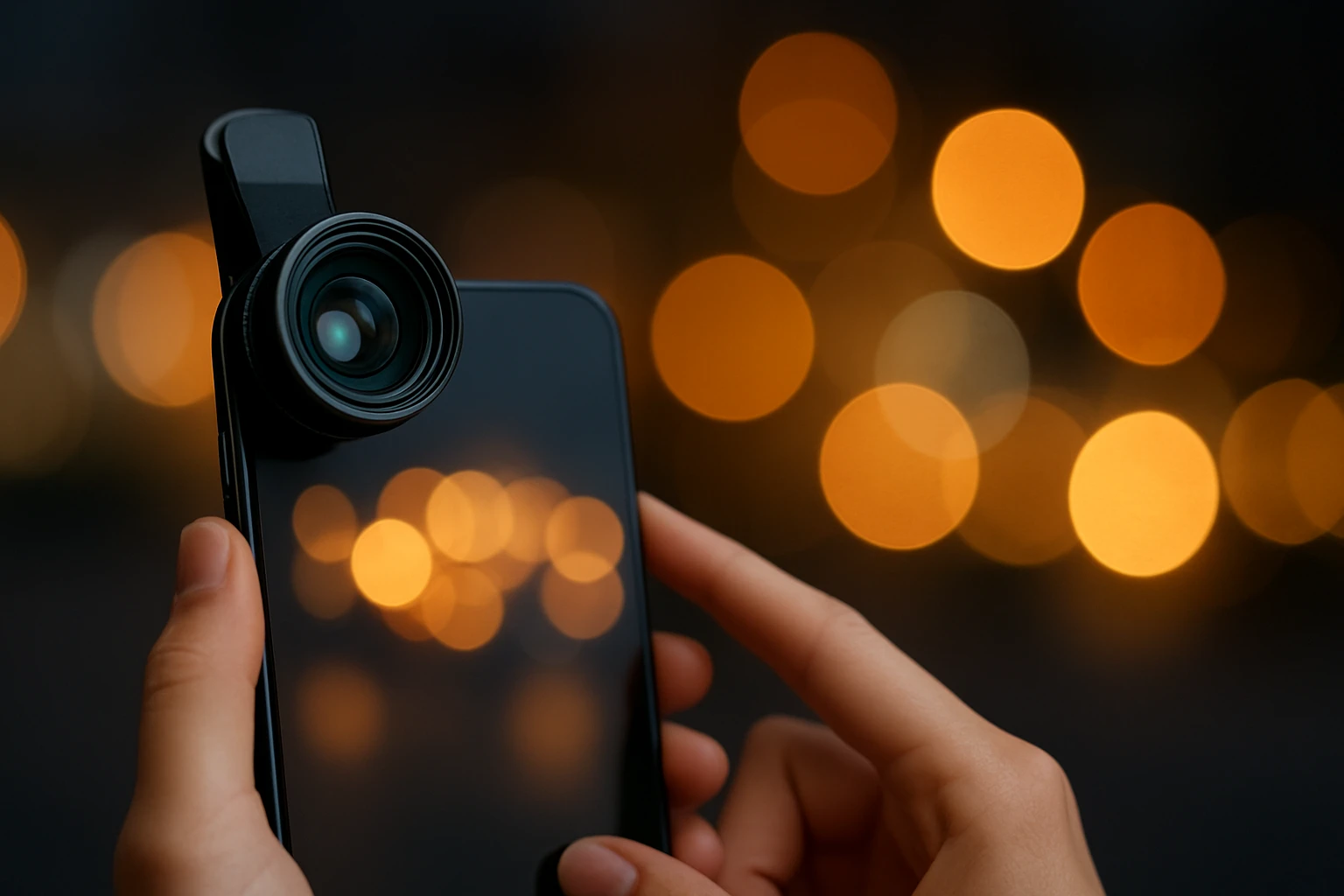
Bokeh, a Japanese term meaning "blur," describes the aesthetic quality of out‑of‑focus areas in an image. In cinema, bokeh contributes to visual storytelling by isolating subjects, guiding viewer attention, and adding emotional depth. Smartphones traditionally struggle to produce pronounced bokeh because their sensors are small and lenses have short focal lengths.
Recent advancements in mobile optics, combined with affordable add‑on lenses, have narrowed this gap. Understanding sensor size, aperture, focal length, and lens‑to‑subject distance is essential before applying external accessories. Additionally, software‑based portrait modes can complement hardware solutions, but they often lack the creative control offered by physical lenses.
For enthusiasts seeking consistent, high‑quality background blur, a dedicated lens kit provides predictable results across lighting conditions. The following sections explore the optical principles that enable bokeh and how to leverage them with a phone lens system.
Understanding Key Concepts
Three optical variables dominate bokeh production: aperture size, focal length, and subject distance. A larger aperture (lower f‑number) permits more light and reduces the depth of field, creating smoother background blur. Focal length determines how magnified the subject appears; longer focal lengths compress space and enhance bokeh intensity. Finally, increasing the distance between the subject and background while keeping the subject close to the camera maximizes separation.
When using a phone lens kit, each interchangeable element modifies these variables. The telephoto lens (18× magnification) effectively increases focal length, while the macro lens allows extremely close focusing, which can be combined with a wide‑angle adapter to create artistic blur patterns. The fisheye lens, though primarily used for distortion, can produce unique circular bokeh when paired with selective lighting.
It is also important to consider sensor limitations. Smartphone sensors have fixed apertures, typically around f/1.8 to f/2.2. Adding an external lens does not change the sensor’s aperture, but it changes the effective focal length and field of view, thereby influencing depth of field. Understanding this relationship helps users set realistic expectations.
Recommended Product: Apexel 4-in-1 Phone Lens Kit
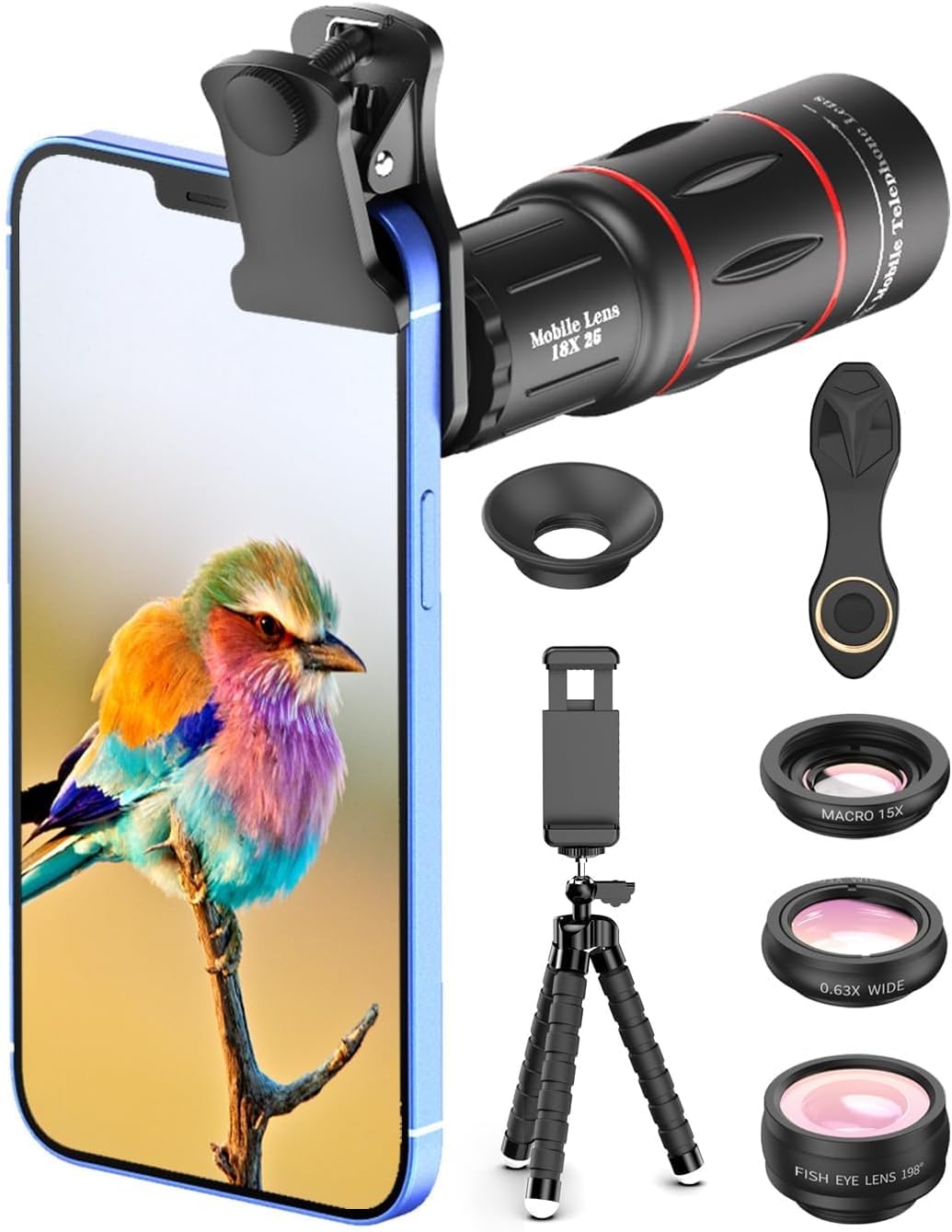
The Apexel 4-in-1 Phone Lens Kit offers a comprehensive set of lenses designed to expand a smartphone’s creative capabilities. Priced at $30.98, the kit includes an 18× telephoto lens, a 198° fisheye lens, a 15× macro lens, and a 0.63× wide‑angle lens, together with a flexible tripod, phone holder, and cleaning cloth. With a rating of 3.5 out of 5 stars based on 2,009 reviews, the kit is positioned as an entry‑level yet versatile solution for both enthusiasts and professionals.
Key features that support filmic bokeh include:
- 18× telephoto lens that magnifies distant subjects, effectively increasing focal length and reducing depth of field.
- Macro lens enabling extreme close‑up focus, allowing the photographer to isolate details against a soft background.
- Flexible tripod that stabilizes the phone, preventing motion blur when using higher magnification lenses.
- Universal clip compatible with iPhone, Samsung, Google Pixel, and most Android devices, ensuring broad usability.
The inclusion of a soft cleaning cloth and a zipped case adds convenience for on‑the‑go shooting, while the 1‑year replacement warranty provides confidence in the product’s durability.
How to Use the Lens Kit for Cinematic Bokeh
Follow these step‑by‑step instructions to achieve professional‑looking background blur:
- Mount the Telephoto Lens: Attach the 18× telephoto lens to the dedicated clip. Ensure the lens is securely screwed onto the clip to avoid wobble.
- Set Up Stable Support: Place the phone on the flexible tripod. Adjust the legs until the camera is level and the horizon is straight.
- Select a Subject: Choose a subject positioned at least one meter from the background. The greater the distance, the smoother the bokeh.
- Adjust Focus: Use the phone’s native camera app or a manual focus app. Tap on the subject to lock focus and exposure.
- Control Lighting: Position a small LED or natural light source behind the subject to create rim lighting, which accentuates the separation.
- Shoot in Manual Mode: If available, lower the ISO to 100–200, set a moderate shutter speed (1/125 s), and keep the aperture at the camera’s native value.
- Review and Refine: Examine the image on a larger screen. If background blur is insufficient, move the subject closer to the lens or increase the distance to the background.
For creative variation, swap the telephoto lens for the macro lens and capture extreme close‑ups of flowers or insects. The macro lens’s short minimum focusing distance, combined with a wide‑angle adapter, can produce a dreamy, almost surreal bokeh effect.
Comparison and Selection Guide
When choosing a lens kit, consider the following criteria:
| Criterion | Apexel 4‑in‑1 Kit | Typical Competitor |
|---|---|---|
| Lens Variety | Telephoto, Fisheye, Macro, Wide‑Angle | Often limited to 2–3 lenses |
| Compatibility | iPhone, Samsung, Pixel, most Android | May be brand‑specific |
| Stabilization | Flexible tripod included | Tripod sold separately |
| Price | $30.98 | $45–$80 |
| Customer Rating | 3.5/5 (2,009 reviews) | Varies, often higher due to niche market |
If the primary goal is to experiment with multiple focal lengths without investing in several single‑purpose kits, the Apexel 4‑in‑1 offers the best value. Photographers who require higher optical quality or a larger aperture may prefer premium lenses, but they will pay a premium price.
Best Practices & Tips
- Clean the Lens Surface: Use the supplied soft cloth before each shoot to eliminate fingerprints that can cause flare.
- Mind the Light Source: Position lights at a 45‑degree angle to the subject to produce pleasing edge highlights without harsh shadows.
- Use a Remote Shutter: A Bluetooth remote or volume button reduces camera shake, especially when using the telephoto lens.
- Post‑Process Thoughtfully: Apply subtle vignette and contrast adjustments in editing software to enhance the cinematic feel without over‑processing.
- Experiment with Aperture‑Simulation Apps: Some apps allow simulated wide apertures, which can be combined with hardware lenses for extra control.
- Consider Background Texture: Bokeh quality is affected by the shape of light sources; string lights, distant street lamps, or reflected windows create appealing orbs.
Frequently Asked Questions
- Can the Apexel lenses be used with the front‑facing camera?
- Yes. The clip’s sliding screw ring can be adjusted to align with the front camera on most dual‑camera smartphones.
- Will the kit work on newer iPhone models with multiple rear cameras?
- Yes. The adjustable clip reaches the main sensor of iPhone 12, 13, 14, and 15 series, as well as the Pro models.
- Does the telephoto lens provide true optical zoom?
- The 18× lens offers optical magnification, but the sensor’s fixed aperture remains unchanged; therefore, depth of field is influenced mainly by focal length and subject distance.
- How do I avoid vignetting when using the wide‑angle lens?
- Ensure the lens is fully seated on the clip and keep the subject centered. Avoid extreme edge placement, which can cause darkening.
- Is the macro lens suitable for macro photography of insects?
- Yes. With a minimum focusing distance of a few centimeters, the macro lens captures fine detail while the background remains softly blurred.
- Can I use the kit in low‑light situations?
- Low light reduces bokeh quality because the sensor’s aperture cannot open further. Use the flexible tripod and an external light source to compensate.
- What warranty does the kit include?
- The product comes with a 1‑year replacement warranty, covering manufacturing defects.
Conclusion
Achieving filmic bokeh with a smartphone is no longer a distant dream. By understanding optical fundamentals, selecting a versatile accessory such as the Apexel 4‑in‑1 Phone Lens Kit, and applying disciplined shooting techniques, one can produce images that rival those captured with dedicated cameras. The combination of proper lens choice, stable support, controlled lighting, and thoughtful post‑processing creates a repeatable workflow for cinematic photography.
Whether a hobbyist or a professional seeking a lightweight backup solution, the strategies outlined in this guide empower creators to explore depth of field creatively, expanding the visual language of mobile photography.
Products Featured in This Guide
Apexel 4‑in‑1 Phone Lens Kit
Price: $30.98
Rating: 3.5/5.0 (2,009 reviews)
Featured because it provides four essential lenses—telephoto, fisheye, macro, and wide‑angle—along with a flexible tripod, making it a comprehensive solution for creating cinematic bokeh on a variety of smartphones.