Introduction
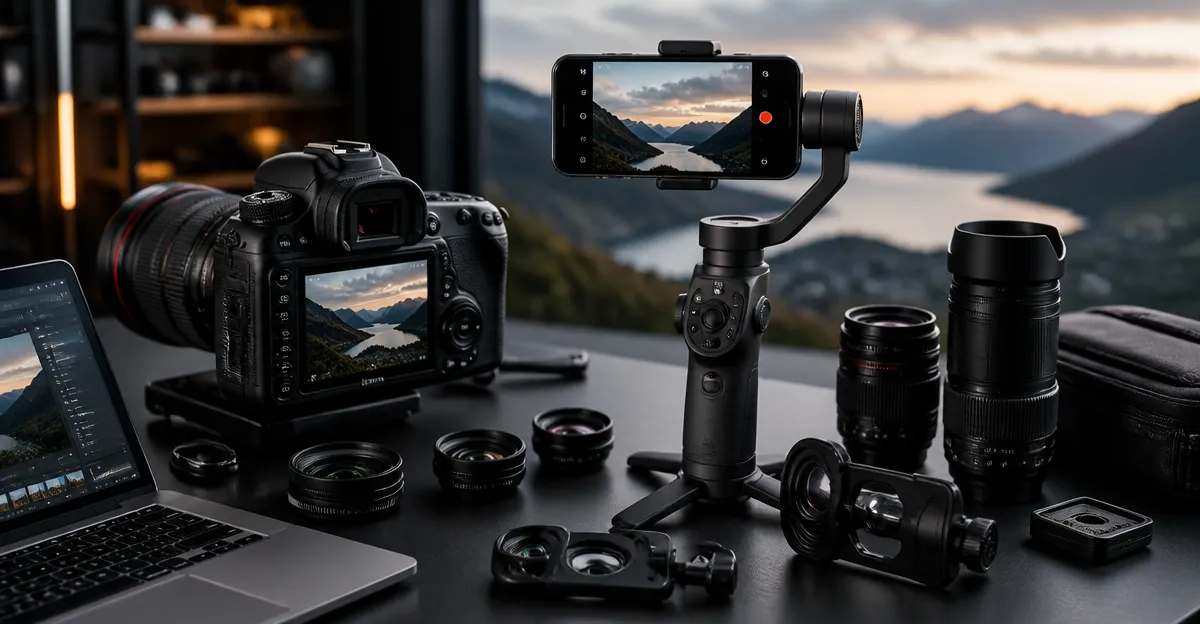
Professional photographers increasingly incorporate smartphone accessories into DSLR workflows to expand creative possibilities. This guide explains how lens attachments and handheld stabilizers can complement traditional camera gear, allowing one to capture unique perspectives without sacrificing image quality. Readers will learn foundational concepts, evaluate three featured smartphone lens kits, and receive actionable best‑practice advice for hybrid shooting. By the end of the article, one will be equipped to select the appropriate accessories and integrate them confidently into existing DSLR practices.
Background and Context
Smartphone lenses are engineered with precision optics that modify focal length, field of view, and depth of field, much like interchangeable DSLR lenses. Modern lenses employ multi‑element glass, anti‑reflective coatings, and durable metal housings, delivering results that rival entry‑level dedicated lenses. Gimbals, on the other hand, provide three‑axis stabilization, reducing shake during handheld motion and enabling smooth video pans that DSLR rigs often require bulky counterweights to achieve. Understanding optical terminology—such as macro magnification, wide‑angle distortion, and aperture value—allows creators to match accessories to specific shooting scenarios.
When integrating these tools, the photographer must consider mount compatibility, weight distribution, and workflow efficiency. A smartphone mounted on a DSLR rig can serve as a secondary angle, a macro explorer, or a lightweight video monitor. Conversely, a DSLR can act as a primary still‑capture device while a smartphone captures behind‑the‑scenes footage. The synergy between the two platforms creates a versatile, cost‑effective solution for content creators who demand flexibility.
Choosing the Right Smartphone Lens
Smartphone lens kits differ primarily in optical quality, focal options, and auxiliary lighting. Selecting a kit that aligns with one’s shooting style—whether macro, landscape, or portrait—maximizes the return on investment. Below are three curated products that exemplify distinct use‑cases.
The first recommendation is the Xenvo Pro Lens Kit. This kit includes a 0.45× wide‑angle lens and a 15× macro lens, both crafted from aircraft‑grade aluminum and premium optical glass. Multi‑element coatings reduce ghosting and flare, delivering sharp images across the frame. The included GlowClip rechargeable LED offers three brightness settings, providing consistent illumination for low‑light macro work. With a rating of 4.2 stars from over 21,000 reviews and a price of $24.69, it offers an excellent balance of quality and affordability.
The second option is the Evil Eye HB100U Macro Lens. Featuring a 10× magnification capability, an ultra‑large F1.05 aperture, and a detachable ring light with 45 lighting modes, this kit targets serious macro enthusiasts who require precise color fidelity. Its optics employ a 4‑group, 5‑element design with Nitto A‑grade lenses, delivering light transmittance of ≥99.5% and distortion under 0.6%. Priced at $69.98 and rated 4.4 stars from 25 reviewers, it serves professionals seeking premium performance.
The third recommendation is the Godefa 14‑in‑1 Lens Kit. This all‑in‑one solution bundles a selfie ring light, wide‑angle, macro, telephoto, fisheye, kaleidoscope, CPL, radial, and starburst lenses. Each lens is constructed from finely processed glass to minimize distortion, while the ring light offers seven brightness levels. At $25.99 and a 4.1‑star rating from 2,794 reviews, it provides the most versatile selection for creators who enjoy experimenting with multiple effects without purchasing separate accessories.
Integrating Lenses with DSLR Rigs
To merge a smartphone lens kit with a DSLR rig, one typically uses a universal phone mount that attaches to the DSLR’s cold shoe or a tripod’s 1/4‑inch thread. The mount should feature a quick‑release mechanism to facilitate rapid lens changes during a shoot. When using the Xenvo Pro Kit, the TruGrip clip ensures a secure connection, while the DuraCase protects the lenses during transport. For the Evil Eye HB100U, the aluminum body’s threaded mount can be paired with a cold shoe adapter, allowing the ring light to be positioned directly above the smartphone sensor. The Godefa kit’s clip‑on design works well with standard phone mounts, and its multiple lenses can be swapped without removing the phone from the rig.
Balancing weight is critical; a heavy smartphone with multiple lenses can shift the center of gravity, affecting gimbal performance. Position the phone as low as possible on the mount and counterbalance with a small sandbag or the DSLR’s own weight. When recording video, enable the gimbal’s follow‑mode to maintain smooth motion while the smartphone captures supplementary angles. In still photography, use the DSLR’s viewfinder for composition and let the smartphone record a behind‑the‑scenes timelapse, adding storytelling depth to the final image set.
Comparison and Selection Guide
| Feature | Xenvo Pro Lens Kit | Evil Eye HB100U Macro Lens | Godefa 14‑in‑1 Lens Kit |
|---|---|---|---|
| Primary Use | Wide‑angle & macro for travel photography | High‑magnification macro with advanced lighting | Multi‑effect kit for creative experimentation |
| Macro Magnification | 15× | 10× | 15× |
| LED Light | GlowClip (3 settings) | Detachable ring light (45 modes) | Selfie ring light (7 levels) |
| Construction | Aircraft‑grade aluminum, coated glass | Aerospace‑grade aluminum, Nitto A‑grade optics | Aluminum housing, multi‑coated glass lenses |
| Price | $24.69 | $69.98 | $25.99 |
| Amazon Rating | 4.2/5 (21,418 reviews) | 4.4/5 (25 reviews) | 4.1/5 (2,794 reviews) |
Photographers who prioritize lightweight travel gear should consider the Xenvo Pro Lens Kit for its compactness and solid optical performance. Those requiring studio‑grade macro detail and customizable lighting will benefit most from the Evil Eye HB100U. Creators who enjoy frequent lens swapping and visual effects will find the Godefa 14‑in‑1 Kit the most versatile option.
Best Practices & Tips
- Always clean lens surfaces with the provided microfiber cloth before each use to avoid dust artifacts.
- When shooting macro, maintain a distance of approximately 0.5 inch between the lens and subject for optimal focus.
- Use the LED light on the lowest setting for natural‑looking illumination; increase only when ambient light is insufficient.
- Secure the phone mount with a quick‑release latch to prevent accidental drops during dynamic gimbal movements.
- Calibrate your gimbal after adding a smartphone to account for the extra weight and ensure smooth pan/tilt response.
- Leverage the DSLR’s histogram and focus peaking while using the smartphone for composition; this hybrid view helps maintain exposure consistency across devices.
Frequently Asked Questions
- Can I use a smartphone lens kit while recording video with a DSLR? Yes. Mount the smartphone on a side arm of the DSLR rig or on a separate gimbal, then synchronize both devices using a clapboard or timecode for seamless editing.
- Will the LED lights affect the color balance of my macro shots? The GlowClip and ring lights are designed with warm, natural spectra that minimize color shift. However, it is advisable to set a custom white balance on the smartphone to match the DSLR’s settings.
- Do these lenses work with all smartphone models? All three kits list compatibility with major iPhone, Samsung Galaxy, Google Pixel, and Huawei devices. Verify that the phone’s camera module protrudes less than 1.2 inches from the edge for a secure clip.
- Is the additional weight of a lens kit noticeable on a gimbal? The Xenvo and Godefa kits add roughly 80–120 grams, which most modern 3‑axis gimbals can compensate for without sacrificing battery life. The Evil Eye kit, with its ring light, may add up to 150 grams; ensure your gimbal’s payload rating exceeds this total.
- Can I attach filters to these smartphone lenses? The Evil Eye HB100U includes a 57 mm threaded mount, allowing standard screw‑in filters. The other kits do not provide threading, but clip‑on filters can be purchased separately.
Conclusion
Integrating smartphone lenses and gimbals into DSLR workflows expands creative horizons while maintaining high image quality. By understanding optical fundamentals, selecting the appropriate kit—whether the Xenvo Pro Lens Kit, Evil Eye HB100U Macro Lens, or Godefa 14‑in‑1 Lens Kit—and following best‑practice guidelines, photographers can produce compelling multi‑angle content with minimal additional equipment. The hybrid approach delivers flexibility for both stills and video, empowering creators to capture moments that would otherwise require multiple dedicated cameras.
Products Featured in This Guide
Xenvo Pro Lens Kit
Price: $24.69 | Rating: 4.2/5 (21,418 reviews)
Featured for its high‑quality aluminum construction, 15× macro capability, and built‑in GlowClip LED, making it ideal for travel‑oriented DSLR hybrids.
Evil Eye HB100U Macro Lens
Price: $69.98 | Rating: 4.4/5 (25 reviews)
Featured for its professional‑grade 4‑group, 5‑element optics, 10× magnification, and detachable ring light with 45 lighting modes, suited for studio macro work.
Godefa 14‑in‑1 Lens Kit
Price: $25.99 | Rating: 4.1/5 (2,794 reviews)
Featured for its comprehensive set of 14 lenses—including wide, macro, telephoto, fisheye, and creative effect lenses—plus a selfie ring light, providing unmatched versatility for experimental DSLR‑phone hybrids.