Introduction
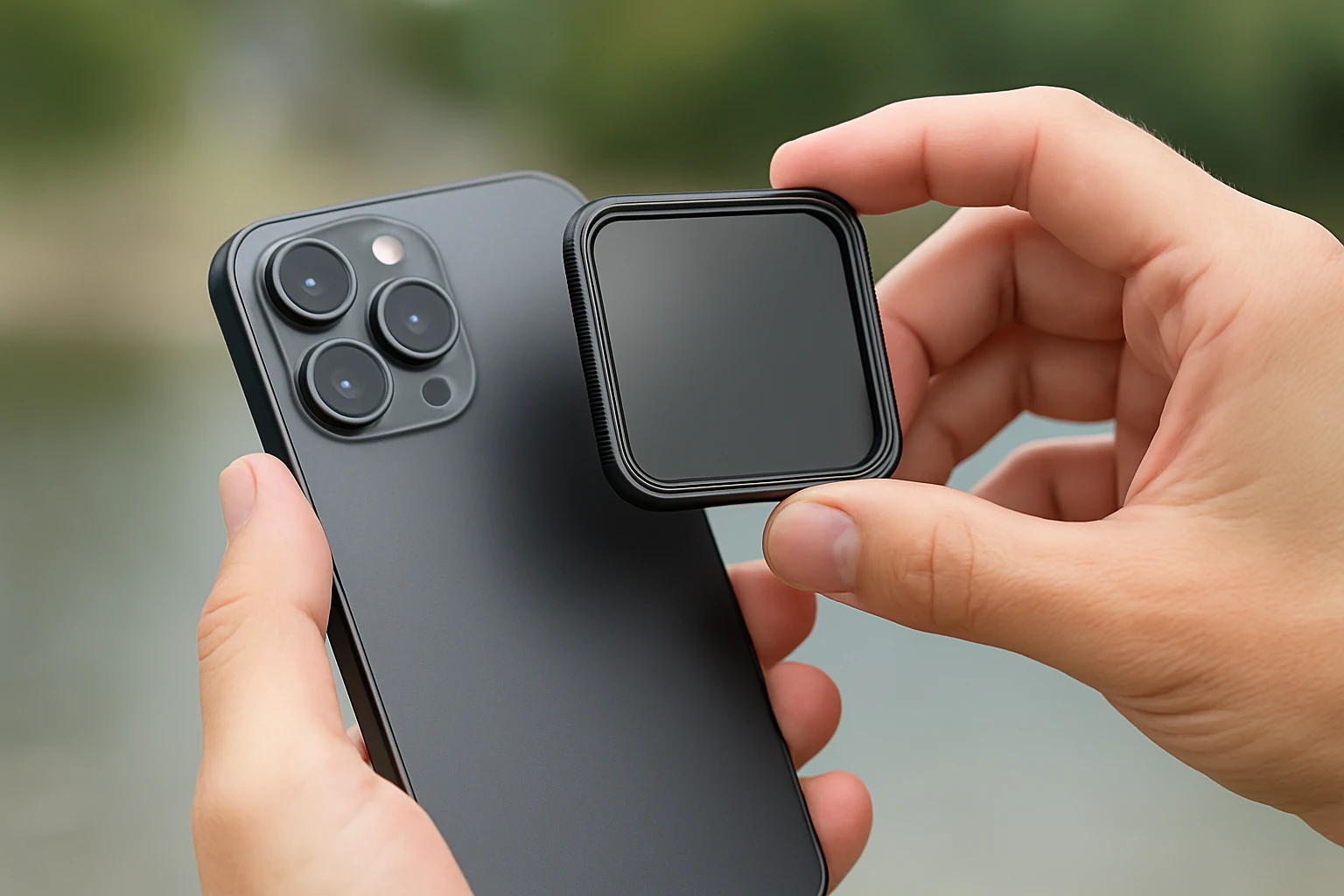
Mobile neutral density (ND) filters have become essential tools for creators who demand cinematic quality from a smartphone. This guide explains how ND filters function, how to mount them securely, and which products deliver the best performance for videography. Readers will learn foundational concepts, practical mounting techniques, and actionable shooting tips that improve exposure control in bright environments. By the end of the article, one will be equipped to select, install, and use a mobile ND filter with confidence.
Background and Context
Smartphone cameras have advanced dramatically, offering large sensors, high‑resolution video, and sophisticated computational photography. Nevertheless, they share a fundamental limitation with any small‑sensor camera: the inability to reduce incoming light without altering other exposure parameters. An ND filter acts as a pair of sunglasses for the lens, decreasing light intensity while preserving aperture and shutter speed settings.
When shooting video, especially outdoors, a photographer often wishes to maintain a shallow depth of field or achieve motion blur without overexposing the image. Without an ND filter, the only options are to raise ISO (introducing noise) or to increase shutter speed (reducing motion blur). Variable ND filters provide a smooth range of attenuation, typically expressed in stops, allowing precise control over exposure.
Mobile ND filters differ from traditional DSLR filters in that they must accommodate a phone’s compact form factor, multiple camera lenses, and often a protective case. Consequently, mounting solutions such as clip‑on clamps, magnetic adapters, and universal phone clips have emerged. Understanding these mounting mechanisms is crucial for reliable operation.
Understanding Mobile ND Filters
ND filters are rated by their optical density, which corresponds to the number of stops of light reduction. A 1‑stop filter halves the light, while a 10‑stop filter reduces light by a factor of 1,024. Variable ND filters combine two polarizing elements that rotate relative to each other, providing a continuous range of attenuation.
For smartphone videography, two ranges dominate the market:
- Low‑to‑moderate reduction (ND2‑ND32, 1‑5 stops) – ideal for bright daylight and subtle motion blur.
- High reduction (ND2‑ND400, 1‑10 stops) – suitable for long exposures, waterfalls, or low‑light scenes where a very slow shutter is required.
Choosing the appropriate range depends on typical shooting conditions and the creative effect desired. A versatile kit often includes a 67 mm threaded filter that can be combined with additional 67 mm accessories such as polarizers or graduated filters.
Mounting Options for Mobile ND Filters
Secure attachment is essential because even a slight shift can alter the filter’s angle, causing uneven exposure or vignetting. Three primary mounting strategies dominate the market:
- Clip‑On Universal Clamp – A metal or plastic arm that grips the phone’s body and positions the filter in front of the lens. This method is compatible with most smartphones and does not require a case removal.
- Magnetic MagSafe Adapter – Utilises the built‑in magnetic array on recent iPhone models to hold a metal plate, which then accepts a standard 67 mm filter. This approach offers rapid attachment and easy swapping of filters.
- Threaded Adapter Ring – A small ring that screws onto the phone’s lens module (or a clip) and provides a 58 mm or 67 mm thread for DSLR‑style filters.
Each method has trade‑offs in terms of stability, speed, and compatibility with additional accessories such as cold shoes or LED lights. The following sections recommend specific products that exemplify each mounting style.
Recommended Products by Mounting Style
The first product mentioned in each category is linked to its Amazon listing for convenient purchase.
Universal Clip‑On Solution
The Akanabi Variable ND Filter offers a 67 mm variable ND2‑400 filter combined with a universal clip and adapter ring. It provides 1‑10 stops of light reduction, a CNC‑machined aluminum frame, and a 28‑layer nano coating that resists water, dust, and scratches. With a price of $39.99, a rating of 4.3 stars from 81 reviews, and an included storage case, it balances durability and portability.
- Adjustable range: 1‑10 stops (ND2‑ND400).
- Compatible with iPhone 17‑11, Samsung Galaxy S series, and DSLR lenses with 58 mm/67 mm threads.
- Includes metal threaded adapter ring for DSLR use.
Magnetic MagSafe Adapter
The JJC Magnetic ND Filter integrates a magnetic base that attaches to iPhone MagSafe models and supports a standard 67 mm filter. It delivers ND2‑128 (1‑7 stops) with multi‑coated slim aluminum frame, and features a cold shoe for additional accessories. Priced at $37.99 and rated 4.1 stars from 162 reviews, it provides rapid attachment and the flexibility to add CPL or creative effect filters.
- Variable range: 1‑7 stops (ND2‑ND128).
- Stretchable design fits iPhone 14‑16 series; not compatible with iPhone 17 Pro models.
- Dual‑sided magnets enable MagSafe accessories such as LED lights.
Threaded Adapter Ring with Clip
The K&F Concept Phone Lens Kit employs a press‑on clip that secures a 58 mm threaded variable ND2‑32 filter. Although the filter range is lower (1‑5 stops), the kit includes a robust alloy ring that accepts any 58 mm DSLR filter, expanding creative possibilities. At $25.99 with a 4.3‑star rating from 94 reviews, it is an affordable entry point for creators seeking a lightweight solution.
- Variable range: 1‑5 stops (ND2‑ND32).
- Press‑on design offers a low‑profile fit.
- Includes protective case and silicone‑padded grip.
Cold‑Shoe Clip with High Compatibility
The NEEWER Clip‑On ND Filter combines a 67 mm variable ND2‑32 filter with a cold‑shoe mount and locking knob. This design permits attachment of LED lights or microphones, making it ideal for on‑the‑go video production. With a price of $42.29, a rating of 4.2 stars from 938 reviews, and a CNC‑machined aluminum frame, it offers both durability and expandability.
- Variable range: 1‑5 stops (ND2‑ND32).
- Cold‑shoe mount for accessories.
- Universal 67 mm thread fits CPL, UV, and creative effect filters.
Premium Variable ND for Professional Use
The ALILUSSO Variable ND Filter provides a high‑quality 67 mm ND2‑ND400 filter with anti‑reflection coating and a metal cold‑shoe clip. Its AR‑coated HD optical glass reduces flare and ghosting, while the upgraded metal clip ensures a secure fit on smartphones and DSLR lenses. Priced at $36.99 and receiving a 4.7‑star rating from 19 reviews, it targets creators who demand top‑tier optical performance.
- Adjustable range: 1‑10 stops (ND2‑ND400).
- AR coating improves contrast and colour fidelity.
- Cold‑shoe mount allows lighting accessories.
Comparison and Selection Guide
When deciding which mobile ND filter best suits a particular workflow, consider the following criteria:
| Criteria | Akanabi | ALILUSSO | K&F Concept | JJC Magnetic | NEEWER |
|---|---|---|---|---|---|
| ND Range | 1‑10 stops | 1‑10 stops | 1‑5 stops | 1‑7 stops | 1‑5 stops |
| Mount Type | Universal clip + 58/67 mm ring | Metal clip with cold shoe | Press‑on clip (58 mm) | MagSafe magnetic base | Universal clip with cold shoe |
| Price | $39.99 | $36.99 | $25.99 | $37.99 | $42.29 |
| Rating | 4.3/5 | 4.7/5 | 4.3/5 | 4.1/5 | 4.2/5 |
| Best For | All‑round versatility | Professional optical quality | Budget‑friendly lightweight | Rapid MagSafe swapping | Accessory‑heavy videography |
Creators who frequently switch between lenses and accessories may prefer the NEEWER kit for its cold‑shoe and locking knob. Those who shoot primarily with iPhone models and value speed should consider the JJC magnetic adapter. For maximum light‑reduction flexibility, both the Akanabi and ALILUSSO filters provide 1‑10 stop ranges.
Best Practices and Tips for Mobile Videography with ND Filters
- Set Exposure Before Adding the Filter – Enable manual exposure controls on the phone, lock ISO, and set the desired shutter speed. Then rotate the ND filter until the exposure meter reads correctly.
- Check for Cross‑Polarisation – When using a high‑density setting, a dark “X” may appear due to the polarising elements. Reduce the density slightly to eliminate the artifact.
- Use a Tripod or Stabilizer – ND filters often require slower shutter speeds; a stable platform prevents camera shake and maintains sharpness.
- Protect the Filter Surface – Clean the filter with the included microfiber cloth before each shoot. Avoid touching the optical surface with fingers.
- Leverage the Cold Shoe for Lighting – Attach a small LED panel when shooting in low‑light conditions; the additional light balances exposure while preserving the shallow depth of field.
- Test Different Stops for Creative Motion Blur – For waterfalls, start at 6‑8 stops and adjust until the water appears silky yet still recognizable.
- Consider the Phone’s Lens Layout – Some phones have multiple rear lenses; ensure the filter does not obstruct any active sensor. The JJC magnetic adapter includes guidance on pulling the front ring for larger lens arrays.
Frequently Asked Questions
1. Can I use a 67 mm DSLR filter on my smartphone? Yes, provided you have an adapter ring that matches the phone’s lens module. Products such as the Akanabi and NEEWER kits include a 58 mm‑to‑67 mm adapter for this purpose.
2. Does a variable ND filter affect colour fidelity? High‑quality filters with multi‑layer nano coatings, such as those from ALILUSSO and Akanabi, maintain colour accuracy. Cheaper plastic filters may introduce a colour cast.
3. How many stops should I use for daylight video? For bright daylight, a reduction of 2‑4 stops (ND4‑ND16) often yields a balanced exposure while allowing a 1/50 s shutter speed for natural motion blur.
4. Will the magnetic mount work with phone cases? The JJC magnetic adapter performs best without a case. Thick cases can reduce magnetic strength and cause slight misalignment.
5. Is it safe to stack multiple filters? Stacking is possible when the adapter ring supports additional threads, but each added element may introduce flare. Use AR‑coated filters like the ALILUSSO to minimise degradation.
6. Do I need to adjust focus after adding a filter? Most smartphones maintain focus automatically, but for precise focus, lock focus before attaching the filter and verify sharpness after rotation.
7. Can I use these filters for still photography as well? Absolutely. The same principles of exposure control apply, and the variable range enables long exposures for night‑time landscapes.
Conclusion
Mobile ND filters empower smartphone creators to achieve professional‑grade exposure control, motion blur, and cinematic depth of field. By understanding the optical principles, selecting the appropriate mounting system, and applying best‑practice shooting techniques, one can produce video that rivals dedicated cameras. The products highlighted in this guide each address specific workflow needs, from rapid MagSafe swapping to full‑featured cold‑shoe accessories. Armed with this knowledge, creators can confidently invest in the right filter and elevate their mobile videography.
Products Featured in This Guide
Akanabi Variable ND Filter
Price: $39.99 | Rating: 4.3/5 (81 reviews)
Featured for its 1‑10 stop variable range, CNC‑machined aluminum frame, and universal clip that works with both smartphones and DSLR lenses.
ALILUSSO Variable ND Filter
Price: $36.99 | Rating: 4.7/5 (19 reviews)
Featured for its premium AR‑coated HD glass, 1‑10 stop range, and metal cold‑shoe clip that supports additional lighting accessories.
K&F Concept Phone Lens Kit
Price: $25.99 | Rating: 4.3/5 (94 reviews)
Featured for its lightweight press‑on design, 58 mm threaded variable ND2‑32 filter, and comprehensive protective case.
JJC Magnetic ND Filter
Price: $37.99 | Rating: 4.1/5 (162 reviews)
Featured for its magnetic MagSafe base, 1‑7 stop variable range, and dual‑sided design that supports additional accessories.
NEEWER Clip‑On ND Filter
Price: $42.29 | Rating: 4.2/5 (938 reviews)
Featured for its 67 mm variable ND2‑32 filter, cold‑shoe mount, and locking knob that provide a stable platform for lighting accessories.