Introduction
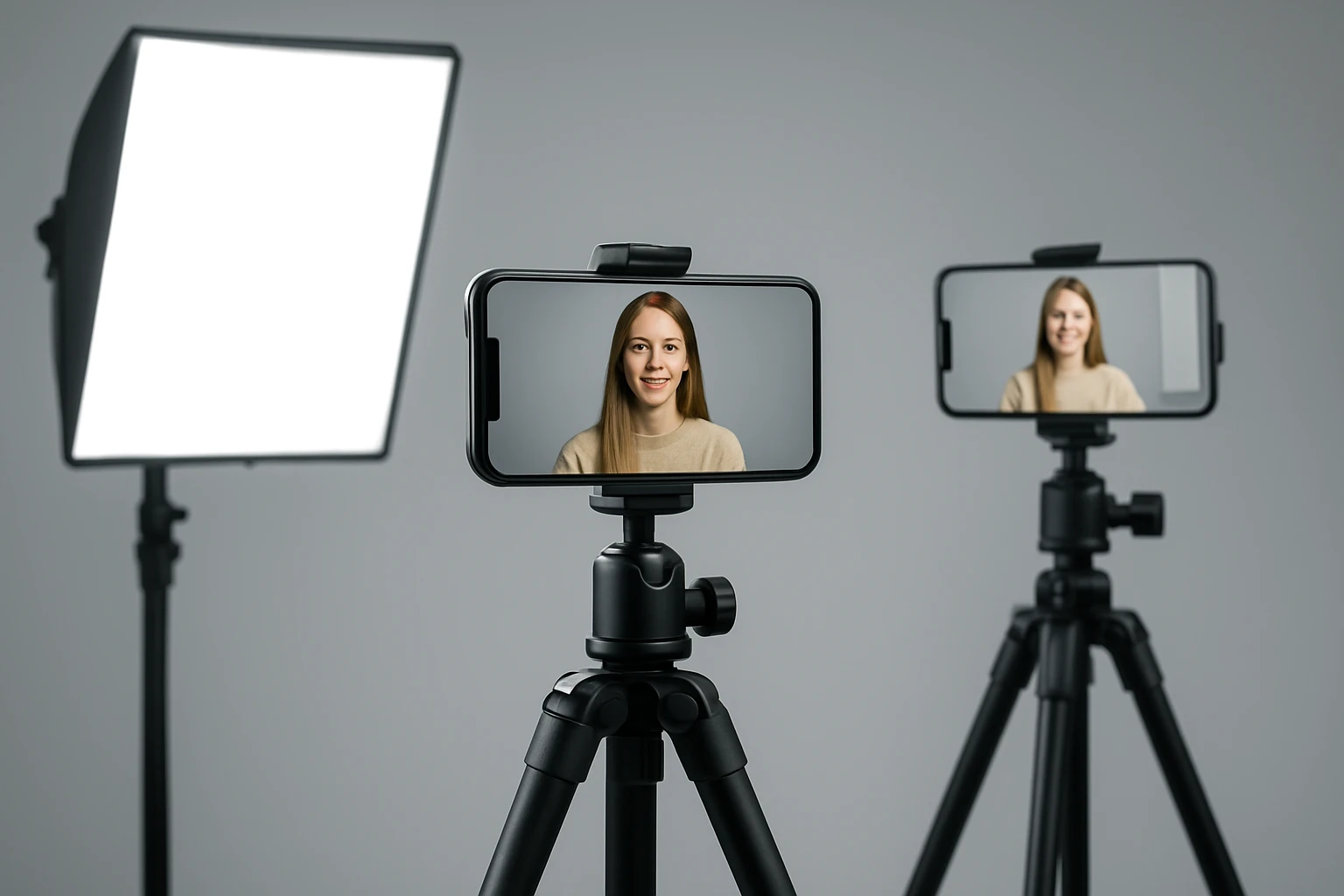
Live streaming from a smartphone has evolved from casual hobby to professional broadcast, especially when multiple camera angles are involved. This guide explains the essential lighting concepts, equipment choices, and practical workflows that enable creators to produce studio‑quality video using only a phone and affordable accessories. Readers will learn how light temperature, diffusion, and placement affect image consistency across cameras, how to select the right lighting kit for their budget, and which best‑practice tips ensure a polished final stream.
By the end of this article, the audience will be equipped to design a lighting rig that works for interviews, gaming streams, product demos, and hybrid events, without needing expensive cinema lights.
Background and Context
Lighting remains the most influential factor in visual storytelling; it determines mood, depth, and perceived professionalism. Smartphone sensors have improved dramatically, offering high dynamic range and low‑light capability, yet they still rely on external illumination to avoid noise and color casts. When multiple phones capture different angles, the lighting must be uniform or deliberately varied to maintain visual continuity.
Key terminology includes:
- Color Temperature (Kelvin): Measures the hue of light; lower values (2500‑3500K) appear warm, higher values (5600‑6500K) appear cool.
- CRI (Color Rendering Index): Indicates how accurately a light reproduces colors; values above 95 are considered professional.
- Diffusion: Softens harsh shadows by scattering light through a translucent material.
- Bidirectional lighting: Uses multiple sources to fill shadows from different angles, essential for multi‑camera setups.
Understanding these concepts enables creators to match lighting to the content type, whether a bright talk‑show set or a moody gaming backdrop.
Key Concepts and Strategies for Multi‑Camera Smartphone Streaming
When planning a multi‑camera rig, consider three pillars: consistency, flexibility, and portability. Consistency ensures each angle shares the same color temperature and intensity, preventing jarring shifts when switching views. Flexibility allows quick adjustments for different scenes, while portability keeps the system lightweight for on‑location shoots.
Below are the primary strategies:
- Use a master light source that illuminates the entire set, then add fill lights to soften shadows on each camera.
- Employ color‑matched LEDs with high CRI; this reduces the need for post‑production color correction.
- Mount lights on adjustable arms or clamps so they can be repositioned without moving the phones.
- Leverage battery‑powered units to avoid cable clutter and maintain a clean studio look.
These principles guide the product recommendations that follow.
Recommended Lighting Products
Three lighting solutions stand out for multi‑camera smartphone streaming because they combine adjustable color temperature, high CRI, and portable power.
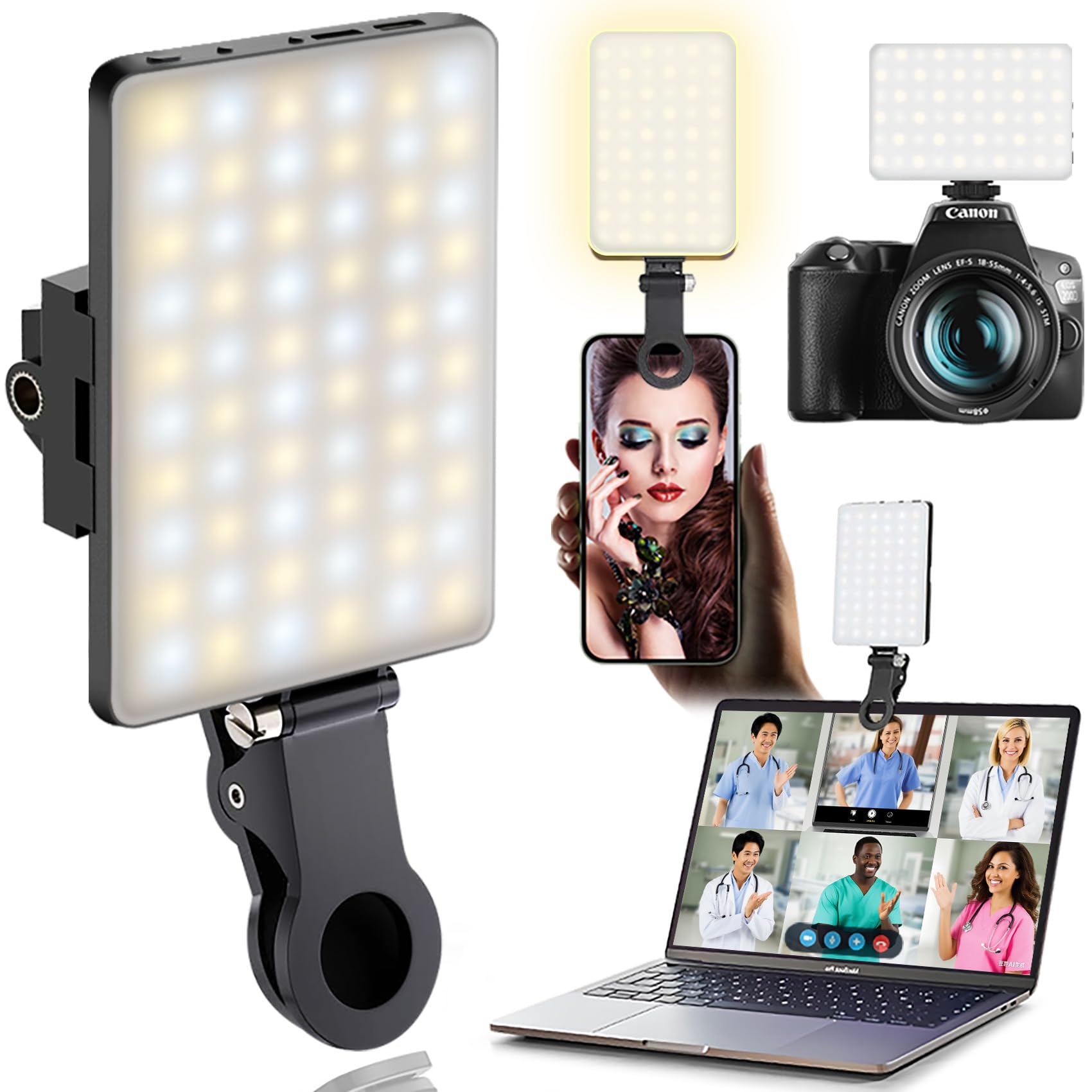
The first product, ORSOIRGIFON Portable Selfie Light, offers 60 LEDs, three color modes (White, Natural, Warm), and ten brightness levels. Its CRI of 97+ matches professional studio lights, while the 2000 mAh battery provides up to 15 hours of standby at low power. The compact clip and ¼‑inch hot‑shoe adapter make it easy to attach to phones, tripods, or cameras, ensuring uniform illumination across all angles.
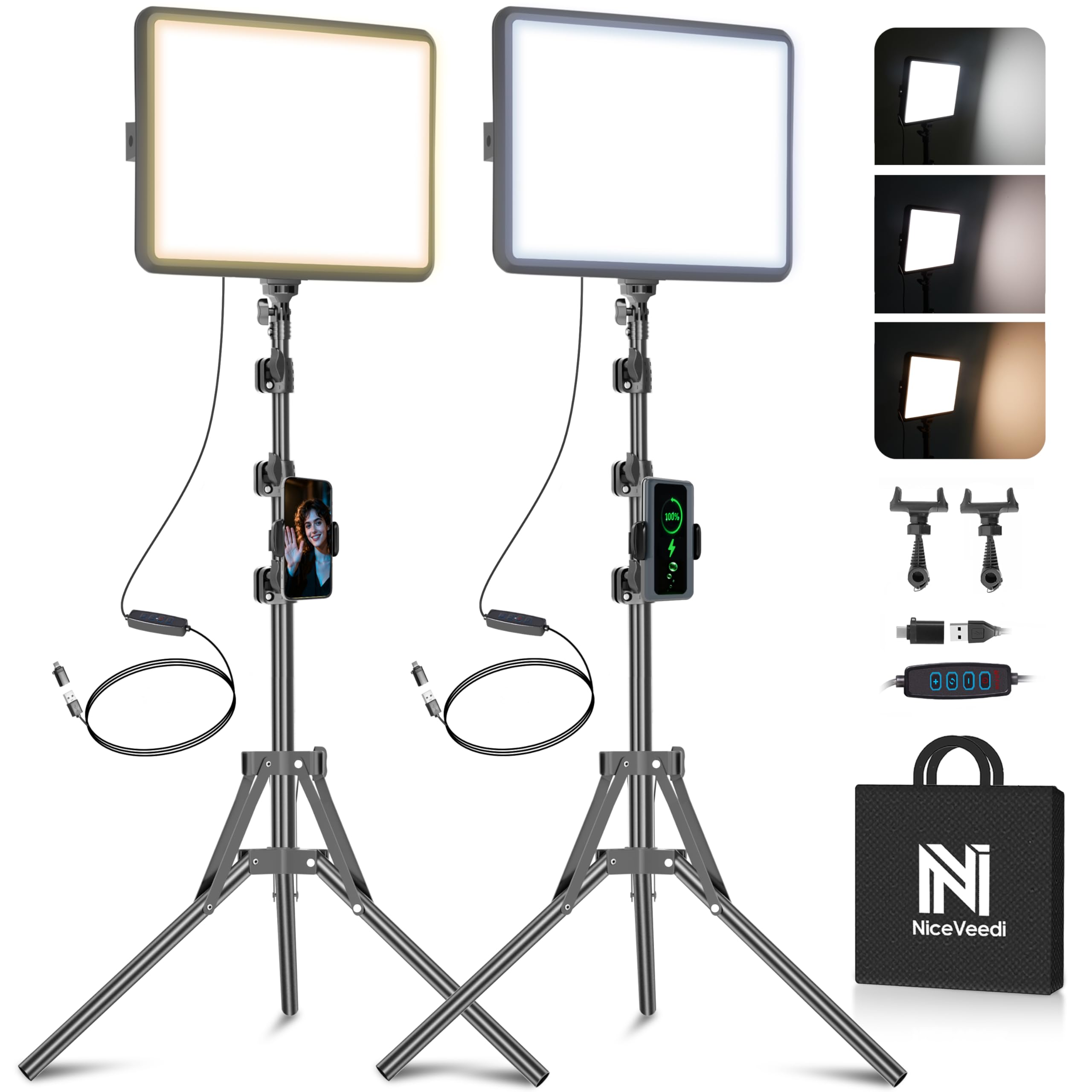
The second recommendation, NiceVeedi LED Video Light Kit, arrives as a 2‑pack with 356 LED beads per panel, delivering 15 W of output and a CRI of 97+. It supports three color temperatures (2800K, 4800K, 6500K) and a remote dimmer for precise control. Each light includes an adjustable aluminum tripod that extends to 60 inches, allowing creators to position lights at eye level or overhead as needed.
The third option, GVM LED Video Lighting Kit, provides two bi‑color panels with a digital display, covering 2300K‑6800K and brightness from 10‑100%. Its 480 high‑quality LEDs deliver up to 15 000 lux at 20 inches, and the kit includes barndoors, soft diffusers, and a 360° rotating bracket for versatile angle control. The app‑based interface allows synchronized adjustments across both panels, ideal for maintaining consistent lighting when switching between multiple smartphones.
Comparison and Selection Guide
| Feature | ORSOIRGIFON Portable Selfie Light | NiceVeedi LED Video Light Kit (2‑Pack) | GVM LED Video Lighting Kit |
|---|---|---|---|
| LED Count | 60 | 356 per panel | 480 per panel |
| Color Temperature Range | 2500K‑6500K (3 modes) | 2800K, 4800K, 6500K | 2300K‑6800K (continuous) |
| CRI | 97+ | 97+ | 97+ |
| Power Source | 2000 mAh rechargeable | USB‑C (5V 2A) or power bank | DC 12 V adapter or Sony battery |
| Battery Life | 15 h (10% brightness) | Dependent on external source | Adapter‑powered; optional battery |
| Portability | 95 g, pocket‑size | Foldable tripod, 17 in storage | Includes carry bag, heavier housing |
| Price (USD) | 9.98 | 49.99 | 165.00 |
| Rating | 4.6/5 (651 reviews) | 4.3/5 (6,194 reviews) | 4.6/5 (1,221 reviews) |
Creators on a tight budget may start with the ORSOIRGIFON light to establish a baseline illumination. For larger studios or dual‑camera rigs, the NiceVeedi kit offers two independent panels and adjustable stands, delivering flexibility without a steep learning curve. Professionals seeking precise color control, app synchronization, and accessories such as barndoors will benefit most from the GVM kit, despite its higher price.
Best Practices & Tips for Multi‑Camera Smartphone Streams
- Match color temperature across all lights: Set each unit to the same Kelvin value to avoid flickering when switching angles.
- Use diffusion material (softboxes, white umbrellas, or the built‑in diffuser on the GVM panels) to reduce harsh shadows on faces.
- Position lights at a 45‑degree angle relative to the subject, creating a natural catch‑light while maintaining depth.
- Employ a backlight or hair light behind the subject to separate them from the background, especially useful in multi‑camera interviews.
- Synchronize brightness via remote or app: The NiceVeedi remote and GVM app allow simultaneous adjustments, ensuring consistency when you toggle between phones.
- Monitor with a calibrated monitor or phone screen to verify that color balance remains uniform across all camera feeds.
- Keep cables organized using Velcro straps; tangled power cords can cause accidental disconnections during live streams.
- Test in the streaming software (OBS, Streamlabs, or native apps) before going live to confirm that exposure levels match across scenes.
Frequently Asked Questions
- Do I need a separate light for each smartphone? Not necessarily. One master light (e.g., the NiceVeedi panel) can illuminate the entire set, while smaller fill lights like the ORSOIRGIFON can be placed near each phone to balance shadows.
- Can I control the lights without touching them? Yes. The NiceVeedi kit includes a wireless remote, and the GVM kit offers an app that lets you adjust temperature and brightness from your phone.
- How long will the batteries last during a typical 2‑hour stream? The ORSOIRGIFON’s 2000 mAh battery provides up to 4 hours at 50 % brightness, comfortably covering a two‑hour session. Battery‑powered GVM units require an external battery pack or AC adapter.
- Is CRI really important for skin tones? Absolutely. A CRI of 97+ ensures that colors, especially skin tones, are rendered accurately, reducing the need for color correction in post‑production.
- What mounting options work best for multi‑camera rigs? Use the ¼‑inch hot‑shoe adapter on the ORSOIRGIFON for camera mounts, the adjustable tripod on the NiceVeedi kit for overhead placement, and the 360° rotating bracket on the GVM panels for precise angle control.
- Can I use these lights outdoors? All three lights are LED‑based and can operate in daylight; however, you may need additional diffusion or a shade to prevent over‑exposure on sunny days.
- Do I need a separate power source for each panel? The NiceVeedi panels draw power via USB‑C, allowing a single power bank to power both units. The GVM panels can share a single AC adapter or be powered by separate Sony batteries for mobility.
Conclusion
Effective lighting transforms a multi‑camera smartphone stream from amateur to professional. By understanding color temperature, CRI, and diffusion, creators can select the appropriate tools—whether the pocket‑sized ORSOIRGIFON, the versatile NiceVeedi 2‑pack, or the feature‑rich GVM kit—to match their budget and production scale. Applying the best‑practice tips outlined above ensures consistent, flattering illumination across all camera angles, resulting in a seamless viewer experience.
Products Featured in This Guide
ORSOIRGIFON Portable Selfie Light
Price: $9.98 | Rating: 4.6/5 (651 reviews)
Featured for its high CRI 97+, three adjustable light modes, and ultra‑compact battery‑powered design that fits any smartphone rig.
NiceVeedi LED Video Light Kit
Price: $49.99 | Rating: 4.3/5 (6,194 reviews)
Featured for its dual‑panel setup, adjustable tripod, three color temperatures, and remote dimming—ideal for flexible multi‑camera studios.
GVM LED Video Lighting Kit
Price: $165.00 | Rating: 4.6/5 (1,221 reviews)
Featured for its bi‑color range, digital display, app control, and professional accessories such as barndoors and soft diffusers, perfect for high‑end productions.