
Vertical vs Horizontal Smartphone Lighting: The Ultimate Guide to Setup, Differences, and Pro Tips for Mobile Photo & Video
Introduction
Mobile creators increasingly face the decision of whether to shoot in vertical or horizontal orientation. The choice influences not only composition but also lighting strategy, equipment placement, and post‑production workflow. This guide explains the fundamental differences between vertical and horizontal smartphone lighting, outlines step‑by‑step setup methods, and provides actionable pro tips that work for both photos and video. Readers will leave with a clear understanding of how to adapt lighting for any orientation, which accessories enhance their workflow, and how to choose the right tools for their specific needs.
Background and Context
Smartphones now possess sensors capable of capturing professional‑grade images, yet lighting remains the single most critical factor for image quality. In vertical mode, light sources are often positioned higher relative to the subject, creating distinct shadow patterns compared to the more balanced illumination typical of horizontal shots. Additionally, vertical content dominates platforms such as Instagram Stories, TikTok, and Snapchat, while horizontal format excels on YouTube, Facebook, and traditional websites. Understanding the physics of light—direction, diffusion, color temperature, and intensity—allows creators to manipulate mood and clarity regardless of orientation.
Key concepts include:
- Key Light: The primary source that defines shape and texture.
- Fill Light: A secondary source that softens shadows created by the key.
- Back Light (Rim): Highlights the subject’s outline, separating it from the background.
- Diffusion: Scattering light through fabrics or softboxes to reduce harshness.
When shooting vertically, the distance between the smartphone and the lighting rig often changes because the device is held closer to the face. Conversely, horizontal shooting may require a broader light spread to cover a wider frame. Recognizing these nuances enables creators to maintain consistent exposure and aesthetic across formats.
Lighting Setup for Vertical Shooting
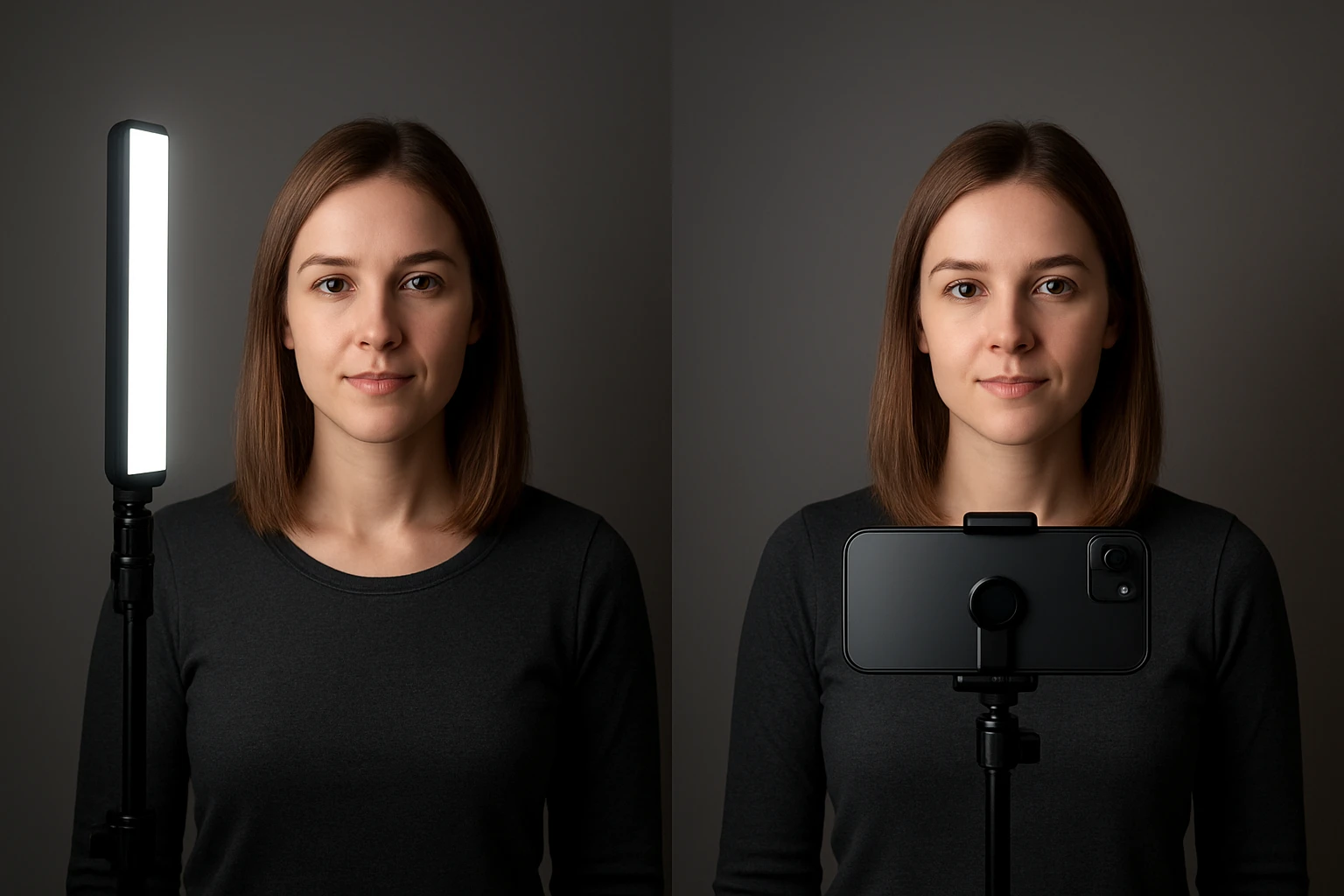
Vertical shooting typically places the smartphone at eye level or slightly higher, especially for portrait‑style content. The lighting rig should therefore be positioned to avoid unflattering top‑down shadows while maintaining a natural look.
Key steps include:
- Place a key light at a 45‑degree angle above the subject’s eye line. A small LED panel or ring light works well because it provides even illumination without requiring extensive space.
- Introduce a fill light on the opposite side at a lower intensity. This reduces harsh shadows while preserving depth.
- Use a back light placed behind the subject, slightly above head height, to create a subtle rim that separates the subject from the background.
- Diffuse the lights with a softbox or a white fabric to achieve a gentle, flattering quality.
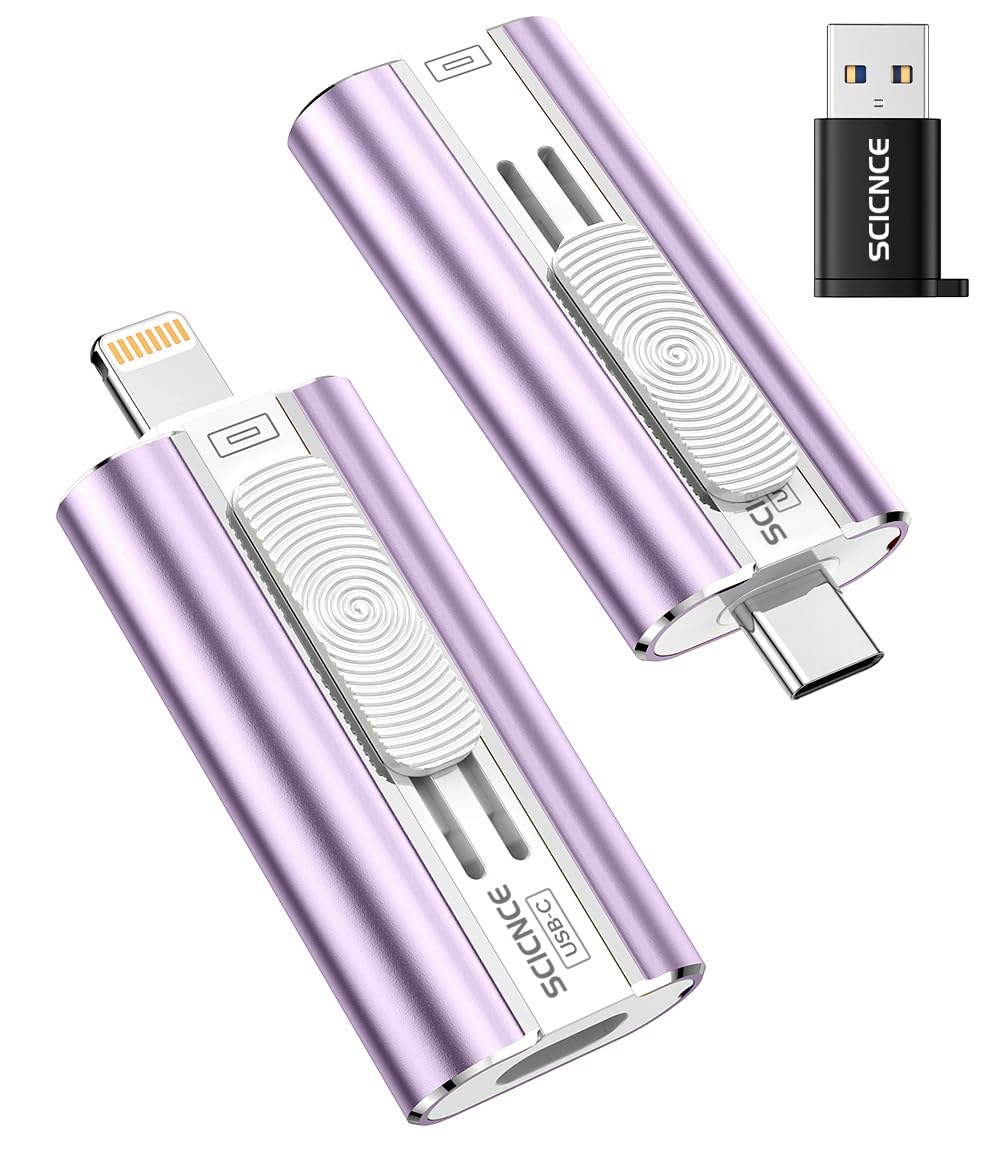
For creators who need to store large video files on the go, the SCICNCE 256GB Phone USB Flash Drive offers ample capacity and plug‑and‑play convenience. Its high‑speed transfer chips ensure that raw footage captured in vertical orientation can be backed up quickly, preventing data loss during long shooting sessions.
Lighting Setup for Horizontal Shooting
Horizontal shooting often involves a wider field of view, requiring a broader light spread to illuminate the entire frame evenly. The smartphone is usually held at chest or waist level when recording landscape video, which changes the angle of light fall.
Recommended configuration:
- Position the key light directly in front of the subject at a 30‑degree angle, slightly lower than eye level, to fill the width of the frame.
- Deploy a fill light on the opposite side, using a larger diffuser to cover the extended area.
- Set a back light or hair light behind the subject, angled upward to create separation across the wider scene.
- Consider using a portable tripod to maintain stable positioning of both the smartphone and lighting fixtures.
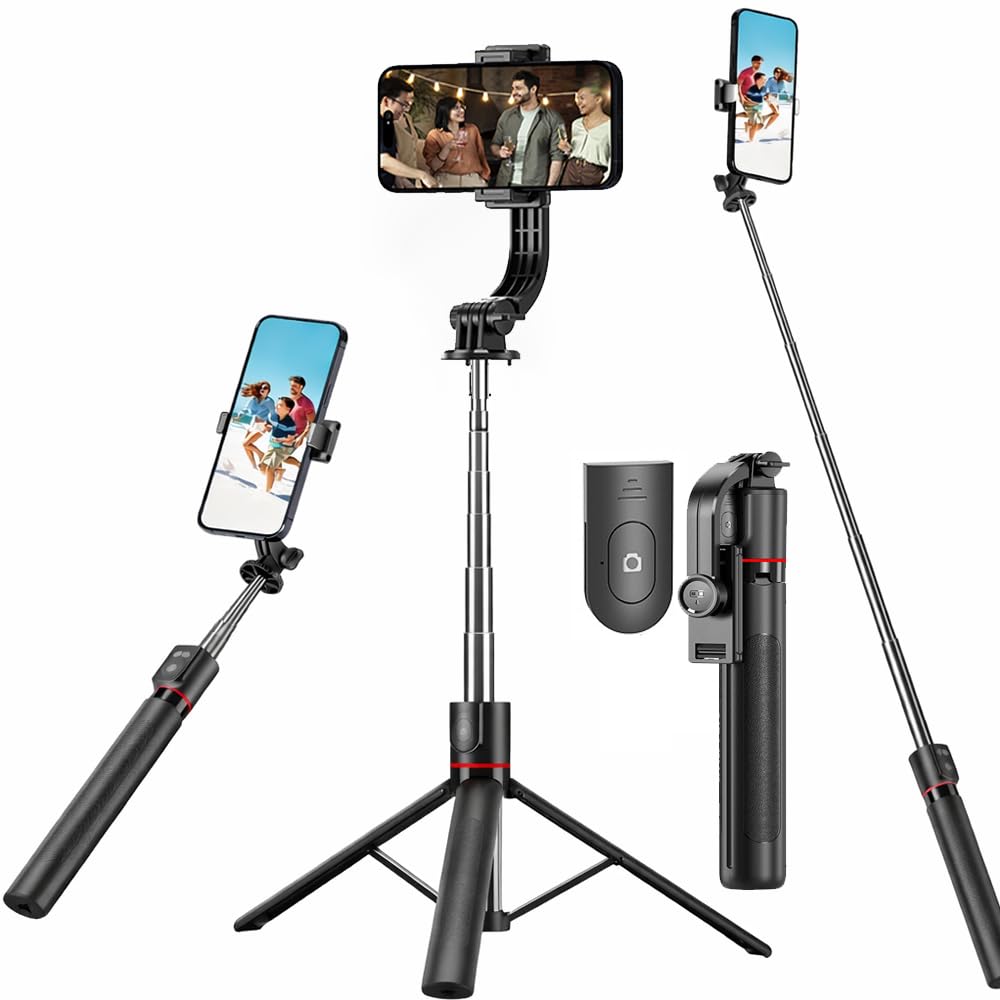
The JIUHCORY 67" Detachable Selfie Tripod is ideal for horizontal setups. Its extendable height up to 67 inches allows creators to raise the phone to eye level while keeping hands free for adjusting lights. The detachable design also lets users mount small LED panels directly onto the tripod’s top screw, creating a compact lighting rig.
Integrating Lighting Accessories
Beyond the core three‑point lighting system, several accessories enhance both vertical and horizontal workflows. Portable LED panels, color gels, and reflectors can be attached to tripods or handheld mounts. When working in environments where power outlets are scarce, battery‑operated lights provide flexibility.
For creators who wish to print test shots or share physical copies of lighting diagrams, the KODAK Step Wireless Mini Printer delivers high‑quality, zero‑ink prints on the go. Its compact size and Bluetooth connectivity enable quick printing of reference images directly from the smartphone, facilitating on‑site adjustments.
Comparison and Selection Guide
Selecting the right gear depends on shooting style, budget, and portability requirements. The table below compares the three featured products across key criteria.
| Feature | SCICNCE 256GB Flash Drive | JIUHCORY 67" Selfie Tripod | KODAK Step Mini Printer |
|---|---|---|---|
| Primary Use | High‑capacity storage and fast backup | Adjustable height tripod and selfie stick | Portable photo printing |
| Price | $25.80 | $9.99 | Not listed (use Amazon for current price) |
| Rating | 4.3/5 (660 reviews) | 4.0/5 (16 reviews) | 4.5/5 (1,982 reviews) |
| Compatibility | iPhone, iPad, Android, PC | All smartphones (2.5‑3.7" width) | iOS & Android via Bluetooth/NFC |
| Portability | Pocket‑size USB stick | Folded length 29.7 cm, 270 g | Palm‑sized, <1 lb |
For creators focused on video, the tripod offers the most direct impact on framing and stability. Photographers who need extensive storage for RAW files will benefit from the flash drive’s 256 GB capacity. Those who value instant physical proof of lighting setups should consider the mini printer.
Best Practices & Pro Tips
- Maintain Consistent Color Temperature: Use daylight‑balanced LEDs (5600 K) for both vertical and horizontal shoots to avoid color shifts when editing.
- Check Light Falloff: Measure illumination at the subject’s position with a light meter; adjust distance to keep exposure consistent across orientations.
- Utilize Diffusion Materials: A simple white pillowcase or parchment paper can soften harsh LED output without adding bulk.
- Secure Cables: When using external lights, route power cords away from the tripod’s legs to prevent tripping hazards.
- Backup Frequently: Transfer footage to the SCICNCE 256GB Phone USB Flash Drive after each shoot to safeguard against accidental loss.
- Test Print Lighting Charts: Print a grayscale chart with the KODAK Step Wireless Mini Printer to verify exposure and contrast on location.
- Adjust Height for Perspective: Use the JIUHCORY 67" Detachable Selfie Tripod to raise the phone for a more flattering angle in vertical portrait mode.
Frequently Asked Questions
- 1. Does vertical lighting require more power than horizontal?
- Not necessarily. The power consumption depends on the type and number of lights used, not the orientation. However, vertical shots often use a single key light positioned higher, which may require a slightly stronger source to fill the face evenly.
- 2. Can I use the same LED panel for both orientations?
- Yes. Adjustable panels with swivel heads can be repositioned quickly. Ensure the diffusion material remains appropriate for the new angle to avoid hotspots.
- 3. How do I avoid shadow distortion when switching from vertical to horizontal?
- Maintain the same key‑to‑fill light ratio (approximately 2:1) and reposition the lights to preserve the relative angle to the subject’s face. Using a softbox helps keep shadows soft across both formats.
- 4. Is a tripod essential for vertical smartphone video?
- While handheld stabilizers work, a tripod like the JIUHCORY 67" Detachable Selfie Tripod offers the most stable platform, especially when using heavier lighting rigs.
- 5. What is the best way to store large vertical video files?
- The SCICNCE 256GB Phone USB Flash Drive provides fast, plug‑and‑play backup without requiring additional apps on iOS devices.
- 6. Can I print lighting reference sheets on the go?
- Absolutely. The KODAK Step Wireless Mini Printer uses zero‑ink ZINK paper, allowing you to print 2"×3" reference cards directly from your phone.
Conclusion
Understanding the interplay between orientation and lighting empowers mobile creators to produce consistent, high‑quality content across platforms. By applying three‑point lighting principles, selecting adaptable accessories such as the SCICNCE flash drive, JIUHCORY selfie tripod, and KODAK mini printer, and following the pro tips outlined above, creators can overcome the challenges of both vertical and horizontal shooting. Mastery of these techniques ensures that every frame—whether portrait or landscape—shines with professional polish.
Products Featured in This Guide
SCICNCE 256GB Phone USB Flash Drive
Price: $25.80 | Rating: 4.3/5 (660 reviews)
Featured for its high capacity, fast plug‑and‑play backup, and universal compatibility, making it ideal for storing large vertical video files.
JIUHCORY 67" Detachable Selfie Tripod
Price: $9.99 | Rating: 4.0/5 (16 reviews)
Featured for its adjustable height, lightweight design, and detachable remote, providing stable framing for both vertical and horizontal smartphone shoots.
KODAK Step Wireless Mini Printer
Rating: 4.5/5 (1,982 reviews)
Featured for its portable zero‑ink printing, allowing creators to produce instant hard copies of lighting charts and test shots on location.